Chase unanswered Zulip topics for you
Every morning, WebRun opens Zulip, finds topics that have gone a full day without a reply, creates a Trello card to track each one until it's resolved, and sends the topic's owner a WhatsApp nudge so open questions don't quietly age out of view in a busy stream.
- No credit card
- Under $0.01 per run
- Cancel anytime
How do I make sure Zulip topics don't go unanswered?
WebRun checks Zulip every morning for topics that have gone a full day without a reply, creates a Trello card to track each one, and sends the person it's waiting on a WhatsApp nudge naming the topic and stream. The actual reply still happens inside Zulip, from that person, not WebRun.
- Stale topics get chased the same morning they age out
- Topic owners get nudged directly instead of a general reminder
- Open questions build a tracked history in Trello
Built for Engineering teams · open source projects · async-first teams · product teams
What does WebRun do on every run?
The exact actions WebRun takes, in order - in plain language, so you can adjust anything.
-
WebRun signs in and gets to work
Opens
zulip.comin a real browser with your saved login - no setup, no API keys. -
1
Zulip - find unanswered topics
zulip.com
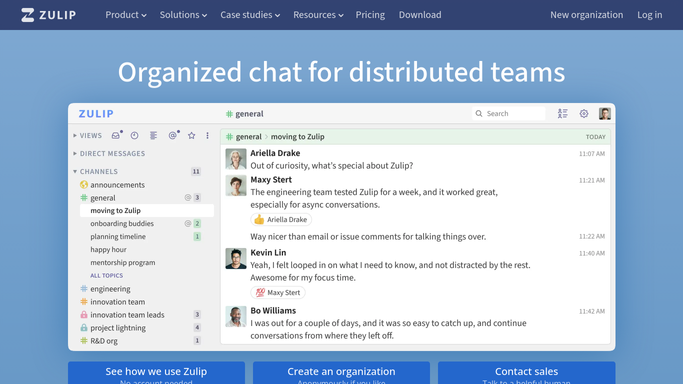
WebRun opens Zulip to find unanswered topics. - Open Zulip and review active streams
- Find topics with no reply in the last 24 hours
- Note who started the topic and who it's waiting on
Done when Every topic unanswered for a day is captured.
-
2
Trello - track the follow-up
trello.com How to Automate Trello

WebRun opens Trello to track the follow-up. - Create a card on the follow-up board for each stale topic
- Fill in the topic link and who it's waiting on
- Archive the card once the topic gets a reply
Done when Every stale topic has a tracked Trello card.
-
3
WhatsApp - nudge the topic owner
whatsapp.com How to Automate WhatsApp

WebRun opens WhatsApp to nudge the topic owner. - Message the person the topic is waiting on
- Include the topic name and stream
- Leave the actual reply to them inside Zulip
Done when Every stale topic's owner has a WhatsApp nudge.
How is each run configured?
Secure by default
Connect once, stays signed in
WebRun signs in once and keeps each session in a persistent environment, so every run picks up right where it left off.
Every action is checked against this policy before it runs.
Questions, answered
Does WebRun reply to the topic itself?
No. It only tracks stale topics and nudges the right person. The actual reply happens inside Zulip, from a person.
How does it know who a topic is waiting on?
It reads the conversation to see who was asked the open question, and nudges that person rather than the whole stream.
What happens once a topic gets a reply?
WebRun checks Zulip again the next morning, and once a topic has a reply, its Trello card gets archived instead of chased again.
Related templates
Put this on autopilot.
Turn it on in minutes - or have our team set it up for you.