Automated Zoho Survey Response Tracking
Every morning, WebRun opens Zoho Survey, reads the response count and completion rate for each live survey, compares them against the target and the days of fieldwork left, works out which collector has stalled, writes the tracker into a Google Drive sheet, and books reminder time in Google Calendar when a survey is behind.
How do I track whether a survey will hit its response target?
WebRun tracks your live surveys every morning. It reads each Zoho Survey response count and completion rate, compares them against the target and days of fieldwork left, identifies the collector that stalled, updates a Google Drive tracker, and books reminder time in Google Calendar when a survey is behind.
- A reminder goes out in time to still matter
- Every live survey has a daily projection against its target
- The stalled collector is named rather than guessed at
Built for researchers · insights teams · HR teams running engagement surveys · marketing teams
What does WebRun do on every run?
The exact actions WebRun takes, in order - in plain language, so you can adjust anything.
-
WebRun signs in and gets to work
Opens
survey.zoho.comin a real browser with your saved login - no setup, no API keys. -
1
Zoho Survey - read responses against target
survey.zoho.com
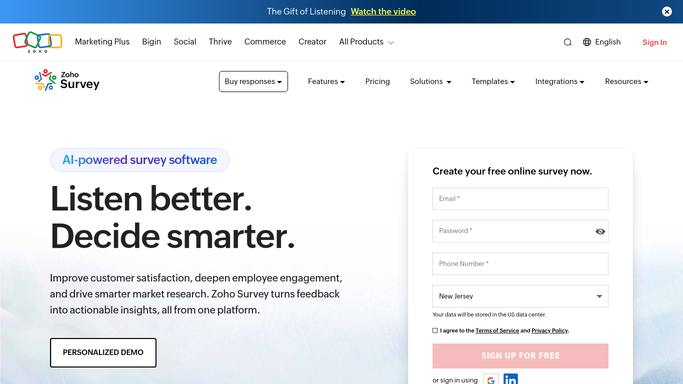
WebRun opens Zoho Survey to read responses against target. - Open Zoho Survey and list every survey still collecting responses
- Read the response count, completion rate, and responses added since yesterday
- Compare the running total against the target and the days of fieldwork left
- Read each collector separately and flag any that added nothing yesterday
Done when Each live survey has responses to date, a daily rate, and a projection against target.
-
2
Google Drive - update the tracker
drive.google.com

WebRun opens Google Drive to update the tracker. - Open the tracker sheet in Google Drive and add today's row per survey
- Record responses to date, yesterday's count, completion rate, and days left
- Mark surveys projected to miss target at the current rate
- Note which collector stalled next to each flagged survey
Done when The tracker sheet carries today's numbers for every live survey.
-
3
Google Calendar - book reminder time
calendar.google.com

WebRun opens Google Calendar to book reminder time. - Book a private slot on your own calendar when a survey is projected to miss target
- Name the survey, the shortfall, and the stalled collector in the event description
- Book it early enough that a reminder still lands inside fieldwork
- Never send a reminder to respondents: WebRun books the time and you send the invite
Done when Every survey behind target has reminder time booked while it can still be fixed.
How is each run configured?
Secure by default
Connect once, stays signed in
WebRun signs in once and keeps each session in a persistent environment, so every run picks up right where it left off.
Every action is checked against this policy before it runs.
Questions, answered
Will it email respondents a reminder?
No. WebRun books time on your own calendar with the shortfall and the stalled collector written up. Sending the reminder to your list stays a deliberate act by the person running the survey.
Does it read what people answered?
No. This run counts responses and completion rate against the target. The content of individual answers is not read, so a live survey stays a numbers question until fieldwork closes.
How does it project whether a survey will miss?
It takes the responses added per day so far and the days of fieldwork left, then compares the projection with the target, flagging any survey that falls short at the current rate.
Related templates
Put this on autopilot.
Turn it on in minutes - or have our team set it up for you.