Automated Zoho Survey Response Follow-Ups
Every morning, WebRun opens Zoho Survey, reads the responses received since the last run, writes each one into Airtable with its score and free-text comment, spots which respondents scored below your threshold, and drafts a personal Gmail follow-up to each of them that waits in Drafts until you approve it.
How do I follow up on low survey scores the same day they arrive?
WebRun opens Zoho Survey every morning, reads the responses received since the last run, and writes each one into Airtable with its score and themed comment. It then drafts a personal Gmail follow-up to every respondent scoring below your threshold, held in Drafts until a human approves and sends it.
- Unhappy respondents get a personal reply within a day
- Every comment is themed so complaints become countable
- No message reaches a respondent without human approval
Built for customer experience teams · product managers · service businesses · market researchers
What does WebRun do on every run?
The exact actions WebRun takes, in order - in plain language, so you can adjust anything.
-
WebRun signs in and gets to work
Opens
survey.zoho.comin a real browser with your saved login - no setup, no API keys. -
1
Zoho Survey - read new responses
survey.zoho.com
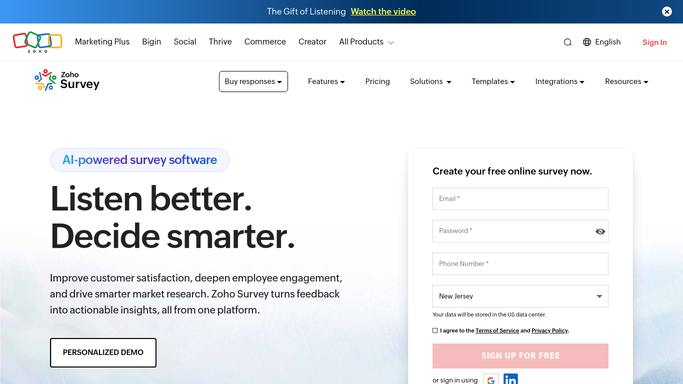
WebRun opens Zoho Survey to read new responses. - Open Zoho Survey and go to the responses view for each live survey
- Capture responses received since the last run with their date and respondent details
- Record every rating answer and the free-text comments
- Flag any response scoring below your follow-up threshold
- Read only. Never edit a survey or delete a response
Done when Every new response is captured with its scores and comments.
-
2
Airtable - log every response
airtable.com

WebRun opens Airtable to log every response. - Open your feedback base in Airtable and add one record per response
- Fill in survey name, date, score, comment, and respondent where they gave one
- Tag each comment by theme, for example pricing, delivery, support, or product
- Update the running average per survey so a drift is visible week to week
Done when Every response is recorded and themed in Airtable.
-
3
Gmail - draft the follow-ups
gmail.com

WebRun opens Gmail to draft the follow-ups. - Draft a short, personal reply to each respondent who scored below your threshold
- Quote what they actually said so the reply never reads like a form letter
- Leave every message in Drafts for a human to read and send. Nothing is emailed on its own
- Skip anonymous responses and anyone who asked not to be contacted
Done when A follow-up draft is waiting for every contactable low scorer.
How is each run configured?
Secure by default
Connect once, stays signed in
WebRun signs in once and keeps each session in a persistent environment, so every run picks up right where it left off.
Every action is checked against this policy before it runs.
Questions, answered
Will it email respondents on its own?
No. Every follow-up sits in Gmail Drafts until a human reads and sends it, so nobody who filled in your survey hears from you without your approval.
What about anonymous responses?
They are logged in Airtable with their score and comment for the trend, but no follow-up is drafted, because there is no contact detail and no consent to reply.
How are comments themed?
WebRun tags each free-text comment against the theme list you define, for example pricing, delivery, support, or product, so the same complaint is countable across weeks.
Related templates
Put this on autopilot.
Turn it on in minutes - or have our team set it up for you.