Get a text the moment a tracker sheet goes red
Every morning, WebRun opens your tracker in Zoho Sheet, checks each row against the limits you set, saves a dated snapshot of the sheet to Google Drive, and sends you a short Twilio text listing only the rows that went out of range.
- No credit card
- Under $0.01 per run
- Cancel anytime
How do I get an alert when a spreadsheet value crosses a limit?
WebRun opens your Zoho Sheet tracker every morning, compares each row against the thresholds you set, and saves a dated copy of the workbook to Google Drive. It then texts you through Twilio with only the rows that went out of range, so you see problems on your phone before anyone else notices.
- Out-of-range rows reach your phone before the working day starts
- An unbroken dated backup history of the tracker in Google Drive
- No one has to open the workbook just to check whether anything went red
Built for operations managers · finance teams · small business owners · analysts
What does WebRun do on every run?
The exact actions WebRun takes, in order - in plain language, so you can adjust anything.
-
WebRun signs in and gets to work
Opens
sheet.zoho.comin a real browser with your saved login - no setup, no API keys. -
1
Zoho Sheet - check rows against your limits
sheet.zoho.com
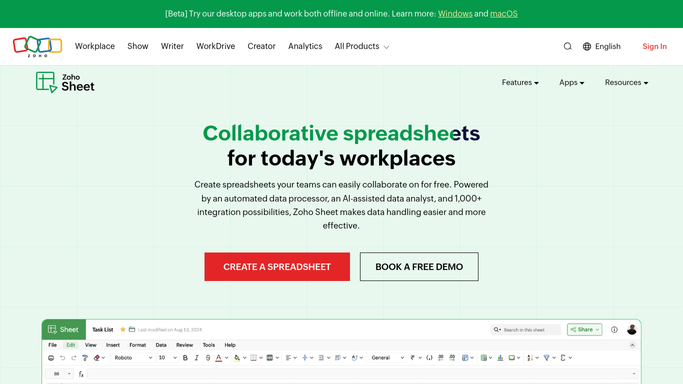
WebRun opens Zoho Sheet to check rows against your limits. - Open the tracker workbook in Zoho Sheet and go to the sheet you nominated
- Read every data row and compare the watched columns against the thresholds you set
- Capture each breaching row with its label, the value, and the limit it crossed
- Skip rows already flagged in yesterday's run unless the value moved further out of range
Done when Every out-of-range row is listed with its value and the limit it crossed.
-
2
Google Drive - save a dated snapshot
drive.google.com How to Automate Google Drive

WebRun opens Google Drive to save a dated snapshot. - Export the workbook from Zoho Sheet as a spreadsheet file
- Upload it into the dated backup folder in Google Drive
- Name the file with the run date so yesterday's copy is never overwritten
- Keep the folder private to your account. Never share it with anyone new
Done when Today's dated snapshot of the tracker sits in the Google Drive backup folder.
-
3
Twilio - text you the exceptions
twilio.com How to Automate Twilio

WebRun opens Twilio to text you the exceptions. - Compose a short text listing the out-of-range rows, worst first
- Send it through Twilio to the internal numbers on your approved list only
- Include the count of breaches and the single worst value so the text stands alone
- Never send to a customer number. Anything outbound to a customer is left as a draft for you to approve
Done when You have this morning's exception text on your phone.
How is each run configured?
Secure by default
Connect once, stays signed in
WebRun signs in once and keeps each session in a persistent environment, so every run picks up right where it left off.
Every action is checked against this policy before it runs.
Questions, answered
Will it text customers?
No. Twilio texts go only to the internal numbers you put on the approved list. If a run would ever message someone outside that list, WebRun leaves the message unsent as a draft for you to approve first.
Does it change my Zoho Sheet?
No. WebRun reads the sheet and exports a copy. It never edits cells, deletes rows, or reorders columns in the live workbook, so your formulas and formatting stay exactly as you left them.
What if nothing breaks a threshold?
You get no text at all on a clean day, by default. The Google Drive snapshot is still saved, so you keep an unbroken history whether or not anything went red.
Related templates
Put this on autopilot.
Turn it on in minutes - or have our team set it up for you.