Walk into tomorrow's appointments prepared
Every evening, WebRun opens Zoho Bookings, reads tomorrow's confirmed appointments with the service, staff member, duration, and the answers each customer gave on the booking form, builds one prep page per appointment in Notion, and appends today's bookings, cancellations, reschedules, and no-shows to a Google Sheets tracker so the pattern is visible week to week.
- No credit card
- Under $0.01 per run
- Cancel anytime
How do I prepare for tomorrow's appointments automatically?
WebRun opens Zoho Bookings every evening, reads tomorrow's confirmed appointments with the service, staff member, and the customer's booking form answers, and builds a prep page per appointment in Notion. It also appends today's bookings, cancellations, and no-shows to a Google Sheets tracker with weekly rates.
- Staff open one page and see every appointment with its form answers
- No-show and cancellation rates are tracked per service and per staff member
- Gaps longer than an hour are flagged the night before so they can be filled
Built for clinics · salons · consultants · coaches · service businesses
What does WebRun do on every run?
The exact actions WebRun takes, in order - in plain language, so you can adjust anything.
-
WebRun signs in and gets to work
Opens
bookings.zoho.comin a real browser with your saved login - no setup, no API keys. -
1
Zoho Bookings - read tomorrow's appointments
bookings.zoho.com
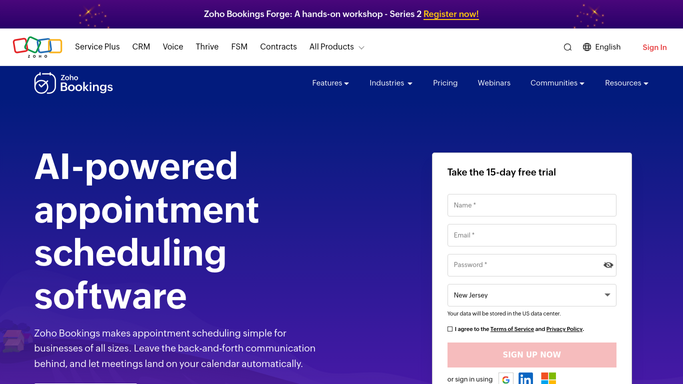
WebRun opens Zoho Bookings to read tomorrow's appointments. - Open Zoho Bookings and go to the calendar view for tomorrow
- List every confirmed appointment with its time, duration, service, staff member, and customer name
- Open each booking and capture the answers the customer gave on the booking form
- Note whether the customer has booked before and when their previous appointment was
- Capture today's cancellations, reschedules, and any appointment marked as a no-show
Done when Tomorrow's appointments and today's cancellations and no-shows are all captured.
-
2
Notion - build a prep page per booking
notion.so How to Automate Notion

WebRun opens Notion to build a prep page per booking. - Create tomorrow's page in your appointments database with one section per booking, in time order
- Put the customer name, service, staff member, and duration at the top of each section
- Add the booking form answers underneath so the person running the appointment has the context
- Note returning customers with the date of their last visit and what it was for
- Flag any gap in the day longer than an hour so the slot can be filled
Done when Tomorrow's prep page is published in Notion with a section for every appointment.
-
3
Google Sheets - log bookings, cancellations, and no-shows
google.com How to Automate Google Sheets

WebRun opens Google Sheets to log bookings, cancellations, and no-shows. - Open your bookings tracker and append today's rows: new bookings taken, cancellations, reschedules, and no-shows
- Record the service and the staff member on each row so the pattern by service is visible
- Update the weekly totals tab with the booking count, the cancellation rate, and the no-show rate
- Highlight any service or staff member whose no-show rate rose against the four week average
Done when Today's booking activity is appended and the weekly rates are refreshed.
How is each run configured?
Secure by default
Connect once, stays signed in
WebRun signs in once and keeps each session in a persistent environment, so every run picks up right where it left off.
Every action is checked against this policy before it runs.
Questions, answered
Will it message customers or change their bookings?
No. WebRun reads Zoho Bookings and writes to your own Notion and Google Sheets. It never emails or texts a customer, never cancels or reschedules an appointment, and never touches your booking page settings.
Where does customer information end up?
In your own Notion workspace and your own Google Sheets tracker, both internal. The prep page carries the booking form answers so your staff can prepare, and nothing is shared outside your team.
Does it track no-shows over time?
Yes. Every cancellation, reschedule, and no-show is appended to the Google Sheets tracker with the service and staff member, and the weekly tab shows the no-show rate against the four week average.
Related templates
Put this on autopilot.
Turn it on in minutes - or have our team set it up for you.