See where no-shows and cancellations are costing you each week
Every Monday, WebRun opens Zoho Bookings, reads every appointment from the week just finished, separates the ones that happened from the no-shows and cancellations, breaks the losses down by staff member, service and time slot, posts the scorecard to Microsoft Teams, and sends you the headline numbers on Telegram.
- No credit card
- Under $0.01 per run
- Cancel anytime
How do I track appointment no-shows and cancellations each week?
WebRun opens Zoho Bookings every Monday and reads the week just finished, separating completed appointments from no-shows and cancellations. It breaks the losses down by staff member, service and time slot, posts the scorecard to Microsoft Teams, and sends the owner the headline rate on Telegram.
- The worst service and worst time slot are named every Monday
- Late cancellations are counted apart from ones with notice
- Deposit and reminder rules get tightened where they actually pay off
Built for clinics · salons and spas · dentists · therapists · service businesses
What does WebRun do on every run?
The exact actions WebRun takes, in order - in plain language, so you can adjust anything.
-
WebRun signs in and gets to work
Opens
bookings.zoho.comin a real browser with your saved login - no setup, no API keys. -
1
Zoho Bookings - read last week's appointments
bookings.zoho.com
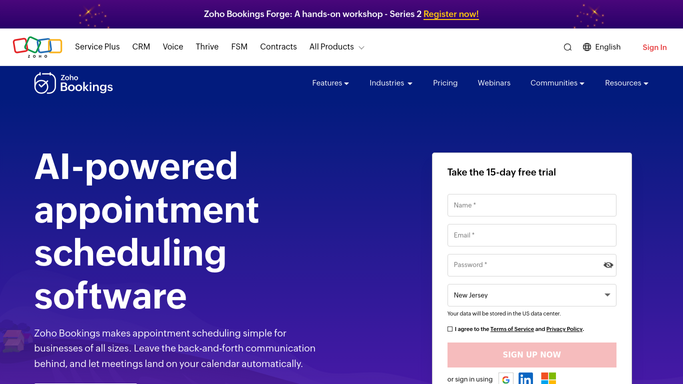
WebRun opens Zoho Bookings to read last week's appointments. - Open Zoho Bookings and set the date range to the week just finished
- Read every appointment with its status, so completed, cancelled and no-show are separated
- Record the staff member, the service and the time slot for each appointment that did not happen
- Note how far in advance each cancellation came in, since a same-day cancel is a different problem from a week's notice
Done when Every appointment from last week is classified and the misses carry staff, service and slot.
-
2
Microsoft Teams - post the scorecard
microsoft.com How to Automate Microsoft Teams

WebRun opens Microsoft Teams to post the scorecard. - Post the weekly scorecard to your team channel in Microsoft Teams
- Show no-show and cancellation counts and rates by staff member, by service and by time slot
- Compare each figure with the previous week so a worsening slot is obvious
- Keep it to the internal channel. Nothing goes to a client
Done when The team channel has last week's scorecard broken down three ways.
-
3
Telegram - send the headline numbers
telegram.org How to Automate Telegram

WebRun opens Telegram to send the headline numbers. - Send the owner a short Telegram note with the week's headline numbers
- Give the total appointments booked, the number that did not happen and the rate
- Name the single worst service and the single worst time slot so the fix is obvious
Done when The owner has the week's no-show rate and the worst slot in Telegram.
How is each run configured?
Secure by default
Connect once, stays signed in
WebRun signs in once and keeps each session in a persistent environment, so every run picks up right where it left off.
Every action is checked against this policy before it runs.
Questions, answered
Will it contact clients who did not show?
No. WebRun only reads appointment records and posts internal summaries. It never emails, texts or charges a client, so any follow-up stays your call.
Does it change my booking settings?
No. It reads last week's appointments and reports the pattern. Adding a deposit rule or changing reminders stays a human decision inside Zoho Bookings.
Can it tell a late cancellation from an early one?
Yes. It records how much notice each cancellation gave, so same-day drops are counted separately from ones cancelled days ahead.
Related templates
Put this on autopilot.
Turn it on in minutes - or have our team set it up for you.