Hand off new Zentao bugs to the right developer
Every morning, WebRun opens Zentao, finds bugs reported since the last check that have no assignee, logs the bug, module, and severity to Google Sheets, and posts a handoff note in Notion naming the module owner who should pick it up.
- No credit card
- Under $0.01 per run
- Cancel anytime
How do I route new Zentao bugs to the right developer automatically?
WebRun checks Zentao every morning for newly reported bugs with no assignee, logs the module, severity, and reporter for each to Google Sheets, and posts a handoff note in Notion naming the module owner who should pick it up, so a new bug reaches the right developer the same day instead of sitting unassigned in the queue.
- New bugs reach the right developer the same day they are reported
- Module owners get a direct handoff instead of scanning the backlog
- Every new bug is logged even before it is formally assigned
Built for Software development teams · QA leads · engineering managers · product teams
What does WebRun do on every run?
The exact actions WebRun takes, in order - in plain language, so you can adjust anything.
-
WebRun signs in and gets to work
Opens
www.zentao.netin a real browser with your saved login - no setup, no API keys. -
1
Zentao - find unassigned new bugs
zentao.net
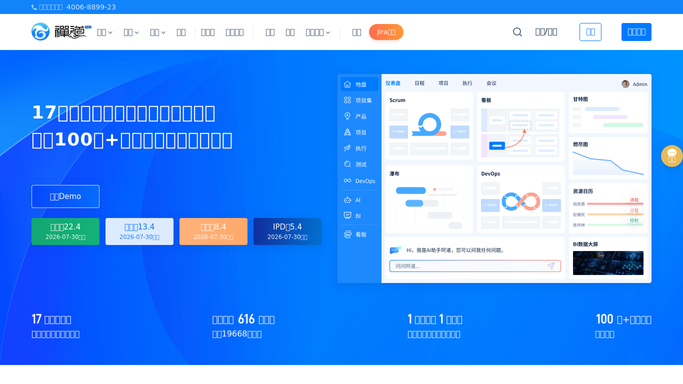
WebRun opens Zentao to find unassigned new bugs. - Open Zentao and filter bugs to newly reported with no assignee
- Capture the module, severity, and reporter for each
- Match each bug to its module owner
Done when Every new unassigned bug is captured with its module owner identified.
-
2
Google Sheets - log the bug details
google.com How to Automate Google Sheets

WebRun opens Google Sheets to log the bug details. - Add a row for each bug with module, severity, and reporter
- Keep the sheet as a running log of handoffs
Done when Every new bug is logged in Google Sheets.
-
3
Notion - post the handoff note
notion.so How to Automate Notion

WebRun opens Notion to post the handoff note. - Post a handoff note on the team page naming the module owner
- Link back to the bug in Zentao and note its severity
Done when Every module owner has a handoff note for their new bugs.
How is each run configured?
Secure by default
Connect once, stays signed in
WebRun signs in once and keeps each session in a persistent environment, so every run picks up right where it left off.
Every action is checked against this policy before it runs.
Questions, answered
Does it assign the bug in Zentao automatically?
No. WebRun only identifies the likely module owner and posts a handoff note. Formally assigning the bug in Zentao is still done by a person.
How does it know who owns which module?
It matches each bug's module against the ownership mapping you set up once, so the right person is named in the handoff note every time.
What if a bug does not match any known module?
It is still logged to Google Sheets with a flag that it needs manual triage, so nothing new falls through without at least being recorded.
Related templates
Put this on autopilot.
Turn it on in minutes - or have our team set it up for you.