Keep sprint deadlines synced to your calendar
Every Monday, WebRun opens ZenHub, checks the start and end date on every active sprint, updates the matching events on the team's Google Calendar, and posts a note in Microsoft Teams whenever a sprint boundary has moved since last week.
- No credit card
- Under $0.01 per run
- Cancel anytime
How do I keep my team calendar synced with ZenHub sprint dates?
WebRun opens ZenHub every Monday and checks the start and end date on every active sprint against what the team calendar currently shows. It updates or creates the matching Google Calendar events and posts a note in Microsoft Teams only when a sprint boundary has actually moved, so the team's calendar never drifts out of sync with the sprint board.
- Sprint dates on the calendar never drift out of sync with ZenHub
- The team hears about a shifted deadline the same Monday it changes
- New sprints always get a calendar event without manual entry
Built for Engineering managers · scrum masters · software teams · agile product teams
What does WebRun do on every run?
The exact actions WebRun takes, in order - in plain language, so you can adjust anything.
-
WebRun signs in and gets to work
Opens
app.zenhub.comin a real browser with your saved login - no setup, no API keys. -
1
ZenHub - check sprint dates
zenhub.com
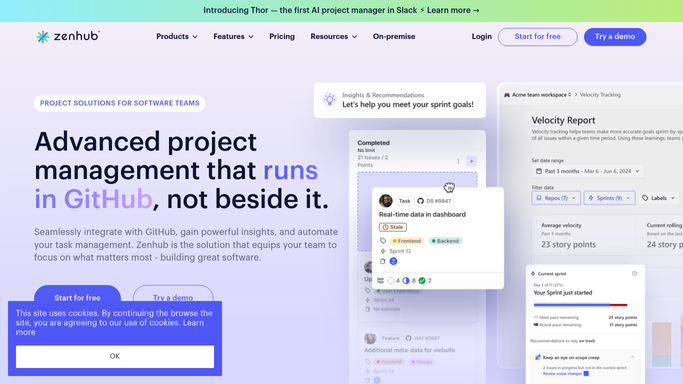
WebRun opens ZenHub to check sprint dates. - Open ZenHub and check the start and end date on each active sprint
- Compare against the dates recorded from last week
- Note any sprint whose boundary has shifted
Done when Every active sprint's current dates are captured.
-
2
Google Calendar - update sprint events
calendar.google.com How to Automate Google Calendar

WebRun opens Google Calendar to update sprint events. - Update the matching sprint start and end events for the team
- Create the event if a new sprint has no calendar entry yet
Done when The team calendar matches ZenHub's current sprint dates.
-
3
Microsoft Teams - flag any date change
microsoft.com How to Automate Microsoft Teams

WebRun opens Microsoft Teams to flag any date change. - Post a note only when a sprint date actually changed
- Name the sprint and the old and new date
Done when The team has been told about any sprint date that moved.
How is each run configured?
Secure by default
Connect once, stays signed in
WebRun signs in once and keeps each session in a persistent environment, so every run picks up right where it left off.
Every action is checked against this policy before it runs.
Questions, answered
Does it change sprint dates in ZenHub?
No. WebRun only reads sprint dates from ZenHub and writes them to the calendar. Changing a sprint's actual dates stays a planning decision your team makes in ZenHub.
Will it notify the team every single Monday even if nothing changed?
No. The Teams message only posts when a sprint's start or end date is different from the week before, so the channel is not filled with routine confirmations.
What happens to a brand new sprint with no calendar event yet?
WebRun creates the missing event using the sprint's current dates, so every active sprint always has a matching calendar entry.
Related templates
Put this on autopilot.
Turn it on in minutes - or have our team set it up for you.