Get a weekly scorecard of your Yousign signature rate
Every Monday, WebRun opens Yousign, counts how many signature requests were sent, signed, and still pending over the past week, calculates the completion rate, and posts a scorecard to both Slack and Telegram so the team starts the week knowing how signing is trending.
- No credit card
- Under $0.01 per run
- Cancel anytime
How do I track my weekly Yousign signature completion rate?
Every Monday, WebRun counts how many Yousign requests were sent, signed, and still pending over the past week, calculates the completion rate, and posts a scorecard to Slack and Telegram. The team starts the week seeing exactly how signing is trending, without anyone exporting Yousign data or tallying requests by hand.
- The team sees signature completion trends every Monday
- Falling completion rates get noticed within a week
- Both Slack and Telegram users see the same numbers
Built for Legal operations · HR teams · sales operations · real estate agencies
What does WebRun do on every run?
The exact actions WebRun takes, in order - in plain language, so you can adjust anything.
-
WebRun signs in and gets to work
Opens
app.yousign.comin a real browser with your saved login - no setup, no API keys. -
1
Yousign - count the week's requests
yousign.com
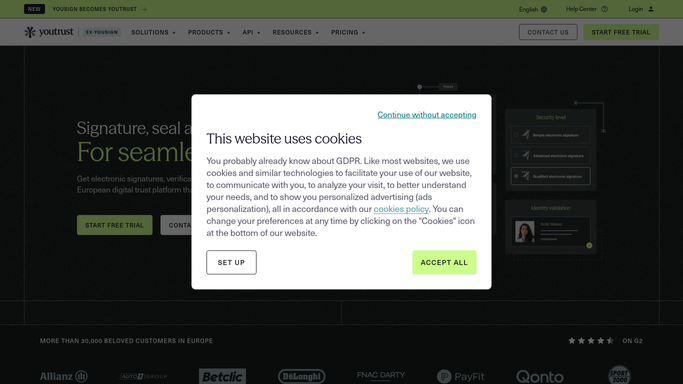
WebRun opens Yousign to count the week's requests. - Open Yousign and list requests sent in the last 7 days
- Count how many are fully signed and how many are still pending
- Calculate the completion rate for the week
Done when The week's sent, signed, and pending counts are captured.
-
2
Slack - post the scorecard
slack.com How to Automate Slack

WebRun opens Slack to post the scorecard. - Post the weekly scorecard to the operations channel
- Show requests sent, signed, and still pending with the completion rate
- Call out the week-over-week change
Done when The scorecard is posted in Slack for the week.
-
3
Telegram - mirror it to the team channel
telegram.org How to Automate Telegram

WebRun opens Telegram to mirror it to the team channel. - Mirror the same scorecard to the team's Telegram channel
- Keep the same numbers and formatting as Slack
- Send it right after the Slack post
Done when The same scorecard is visible in Telegram.
How is each run configured?
Secure by default
Connect once, stays signed in
WebRun signs in once and keeps each session in a persistent environment, so every run picks up right where it left off.
Every action is checked against this policy before it runs.
Questions, answered
Does WebRun chase the pending signatures itself?
No. It only reports the counts and completion rate. Following up on any specific pending request is a step your team takes in Yousign.
How is the completion rate calculated?
It divides fully signed requests by total requests sent in the same 7 day window, giving a like-for-like weekly rate rather than mixing older requests in.
Can the scorecard go to just one channel?
Yes. Slack and Telegram both receive it by default, but either can be turned off if your team only checks one.
Related templates
Put this on autopilot.
Turn it on in minutes - or have our team set it up for you.