See how many review requests actually turned into reviews
Every Monday, WebRun opens Yotpo, counts the review requests sent last week against the reviews actually received, breaks the result out per product with the star ratings that came in, opens a Trello card for each product starved of social proof, and sends you the scorecard on WhatsApp.
- No credit card
- Under $0.01 per run
- Cancel anytime
How do I measure how many review requests turn into reviews?
WebRun opens Yotpo every Monday, counts the review requests sent last week against the reviews actually received, and works out the conversion per product. It opens a Trello card for every product starved of social proof and sends you the scorecard on WhatsApp, so the next campaign targets real catalog gaps.
- Request-to-review conversion is measured per product, not guessed
- Products with zero reviews get a named owner on a Trello card
- The Monday scorecard shows the best and worst converting products side by side
Built for ecommerce marketers · DTC brands · Shopify merchants · retention teams
What does WebRun do on every run?
The exact actions WebRun takes, in order - in plain language, so you can adjust anything.
-
WebRun signs in and gets to work
Opens
app.yotpo.comin a real browser with your saved login - no setup, no API keys. -
1
Yotpo - measure requests against reviews
yotpo.com
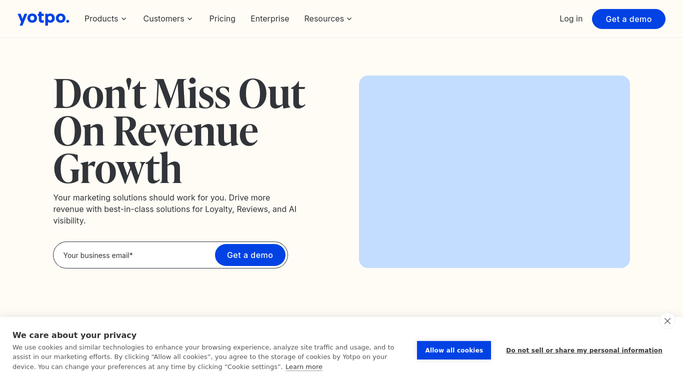
WebRun opens Yotpo to measure requests against reviews. - Open Yotpo and count the review requests sent in the last seven days
- Count the reviews received in the same period and match them back to the products requested against
- Work out the conversion rate per product: requests sent against reviews landed
- Capture the star ratings that came in so volume and sentiment are read together
- Note products with requests going out and nothing coming back
Done when Every product has a request count, a review count and a conversion rate.
-
2
Trello - open a card per catalog gap
trello.com How to Automate Trello

WebRun opens Trello to open a card per catalog gap. - Open a card on your marketing board for each product below your conversion floor
- Put the request count, review count and current star average in the card description
- Add a card for any product with no reviews at all so the gap is owned by a person
- Skip products that already have an open card from a previous week
Done when Every catalog gap has a Trello card with its numbers attached.
-
3
WhatsApp - send the scorecard
whatsapp.com How to Automate WhatsApp

WebRun opens WhatsApp to send the scorecard. - Send yourself the week's scorecard: total requests sent, reviews received and the overall conversion
- List the three best converting products and the three worst
- Name the products with zero reviews so the next campaign has a target
Done when You have this week's review request scorecard on WhatsApp.
How is each run configured?
Secure by default
Connect once, stays signed in
WebRun signs in once and keeps each session in a persistent environment, so every run picks up right where it left off.
Every action is checked against this policy before it runs.
Questions, answered
Will it send review requests to customers?
No. WebRun only measures the requests you already send and the reviews they produced. It never emails a customer, never publishes a review reply, and never launches a campaign on its own.
Where does the output go?
Two internal places you own: Trello cards on your marketing board for each catalog gap, and a WhatsApp scorecard to you. Nothing is posted publicly or shown to shoppers.
What counts as a catalog gap?
A product below the conversion floor you set, or one with no reviews at all despite requests going out. Both get their own Trello card with the request count, review count and star average attached.
Related templates
Put this on autopilot.
Turn it on in minutes - or have our team set it up for you.