Get a weekly heads-up on YNAB overspending
Every Monday, WebRun opens YNAB, reviews every budget category's balance, flags anything overspent or close to its limit, saves a dated snapshot to Google Drive, and texts you a short summary of what needs attention through Twilio.
- No credit card
- Under $0.01 per run
- Cancel anytime
How do I get a weekly summary of my overspent YNAB categories?
WebRun reviews every YNAB budget category every Monday, flags anything overspent or close to its limit, and texts you a short summary of what needs attention along with what is left to budget. It also saves a dated snapshot of every category balance to Google Drive, so you have a running history without exporting anything yourself.
- Overspent categories get flagged the same Monday, not at month end
- You get a text instead of opening the app to check
- Every week's balances are saved to Drive for later review
Built for YNAB users · budget-conscious households · freelancers managing cash flow
What does WebRun do on every run?
The exact actions WebRun takes, in order - in plain language, so you can adjust anything.
-
WebRun signs in and gets to work
Opens
app.ynab.comin a real browser with your saved login - no setup, no API keys. -
1
YNAB - check this week's category balances
ynab.com
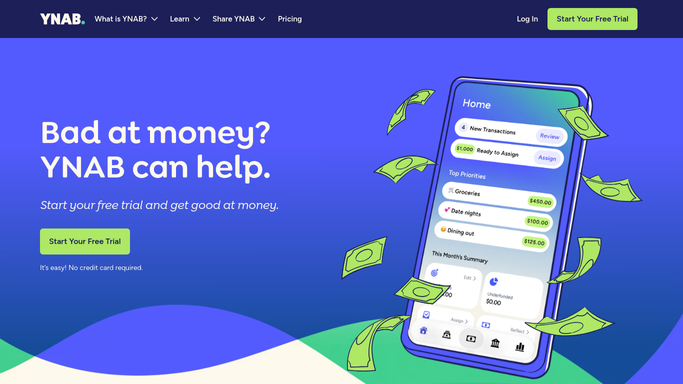
WebRun opens YNAB to check this week's category balances. - Open YNAB and review every budget category's balance for this month so far
- List any category that is overspent or close to its limit
- Note the total left to budget
Done when Every category's balance is captured and overspent ones are flagged.
-
2
Google Drive - save the weekly budget snapshot
drive.google.com How to Automate Google Drive

WebRun saves the weekly budget snapshot to Google Drive. - Save a dated snapshot of the category balances to the Budget folder
- Keep a running weekly log file updated
Done when This week's budget snapshot is saved in Google Drive.
-
3
Twilio - text the overspending summary
twilio.com How to Automate Twilio

WebRun texts the overspending summary through Twilio. - Send a text summarizing overspent categories and the total left to budget
- Keep it to the categories that need attention, not the full list
Done when You have this week's overspending summary by text.
How is each run configured?
Secure by default
Connect once, stays signed in
WebRun signs in once and keeps each session in a persistent environment, so every run picks up right where it left off.
Every action is checked against this policy before it runs.
Questions, answered
Which categories make the text?
Only the ones that are overspent or within a small margin of their limit. The full balance snapshot still gets saved to Drive even if nothing makes the text that week.
Will WebRun move money between budget categories or accounts?
No. WebRun only reads category balances and reports on them. It never moves money between categories or accounts, and it never touches your linked bank accounts. Any rebalancing is yours to do in YNAB.
Can I see how my budget looked last month?
Yes. Every week's snapshot is saved to a running log in Google Drive, so you can look back over the month or the quarter without re-checking YNAB.
Related templates
Put this on autopilot.
Turn it on in minutes - or have our team set it up for you.