Get a weekly scorecard of your Xiaohongshu notes
Every Monday, WebRun opens Xiaohongshu, checks likes, saves, and comments on every note published in the past week, sends your team a WhatsApp recap of the best and weakest note, and adds your next planned post to Google Calendar.
- No credit card
- Under $0.01 per run
- Cancel anytime
How do I track weekly engagement on my Xiaohongshu notes?
WebRun checks Xiaohongshu every Monday for likes, saves, and comments on every note from the past week, sends your team a WhatsApp recap naming the best and weakest note, and confirms the next post date on Google Calendar. It never publishes a note itself, so your content stays entirely in your own hands.
- Note performance is recapped every Monday without opening analytics by hand
- The weakest note gets flagged so the next one can improve on it
- Your next post date is always confirmed on the calendar
Built for Content creators · brand marketers · social media managers · e-commerce sellers
What does WebRun do on every run?
The exact actions WebRun takes, in order - in plain language, so you can adjust anything.
-
WebRun signs in and gets to work
Opens
www.xiaohongshu.comin a real browser with your saved login - no setup, no API keys. -
1
Xiaohongshu - check this week's note performance
xiaohongshu.com
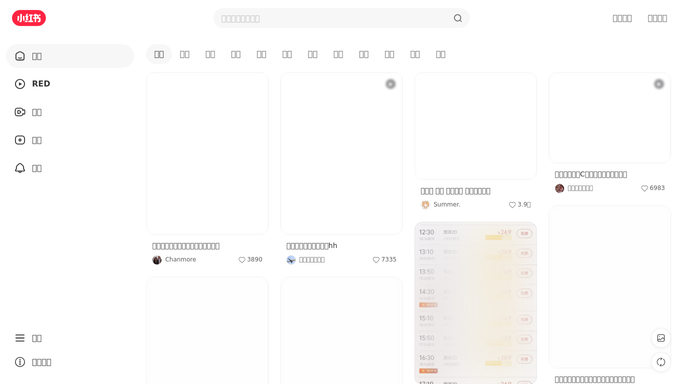
WebRun opens Xiaohongshu to check this week's note performance. - Open Xiaohongshu and review every note published in the past 7 days
- Record likes, saves, and comments for each note
- Note the best and the weakest performing note
Done when Every note from the past week has its engagement recorded.
-
2
Google Calendar - schedule the next post
calendar.google.com How to Automate Google Calendar

WebRun opens Google Calendar to schedule the next post. - Open the content calendar in Google Calendar
- Add or confirm the date for the next planned note
- Note what topic performed best so it can inform the next post
Done when The next note is scheduled on the calendar.
-
3
WhatsApp - send the team recap
whatsapp.com How to Automate WhatsApp

WebRun opens WhatsApp to send the team recap. - Send the team a WhatsApp recap of this week's note performance
- Call out the best and weakest performing note
- Include the date of the next scheduled post
Done when The team has this week's recap and the next post date on WhatsApp.
How is each run configured?
Secure by default
Connect once, stays signed in
WebRun signs in once and keeps each session in a persistent environment, so every run picks up right where it left off.
Every action is checked against this policy before it runs.
Questions, answered
Does it publish new notes on its own?
No. It only reads engagement on notes you already published. Writing and posting a new note is still your call.
Who receives the WhatsApp recap?
It goes to your team's WhatsApp, not to your followers. WebRun never messages anyone outside your team.
How does it pick the next post date?
It confirms whatever date is already planned on your content calendar, or flags the calendar if no next post is scheduled yet.
Related templates
Put this on autopilot.
Turn it on in minutes - or have our team set it up for you.