Consolidate WPS spreadsheet reports into one master sheet
Every morning, WebRun opens the WPS report spreadsheet, reads the rows added since the last export, appends them to a consolidated Google Sheet using the existing column layout, and logs the export in Notion.
- No credit card
- Under $0.01 per run
- Cancel anytime
What does WebRun do on every run?
The exact actions WebRun takes, in order - in plain language, so you can adjust anything.
-
WebRun signs in and gets to work
Opens
www.wps.comin a real browser with your saved login - no setup, no API keys. -
1
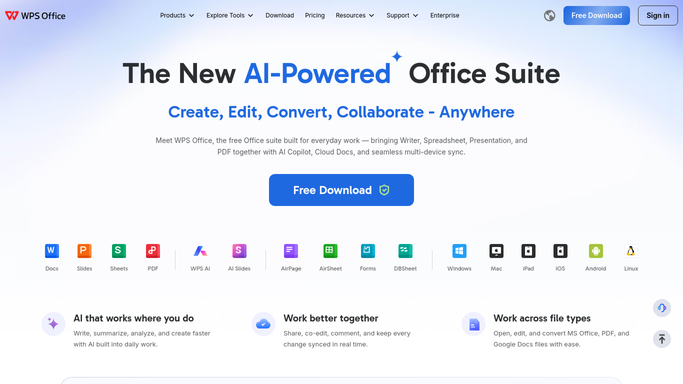
WPS Office - read the latest report spreadsheet
wps.com

WebRun opens WPS Office to read the latest report spreadsheet. - Open the WPS spreadsheet used for the weekly report
- Read the latest tab's totals and key figures
- Note which rows are new since the last export
Done when This run's new report data is captured from WPS.
-
2
Google Sheets - consolidate the data
google.com How to Automate Google Sheets
WebRun opens Google Sheets to consolidate the data. - Append the new rows to the consolidated Google Sheet
- Match columns to the existing consolidated layout
- Skip rows already exported in a previous run
Done when The consolidated sheet reflects the latest WPS data.
-
3
Notion - log the export status
notion.so How to Automate Notion
WebRun opens Notion to log the export status. - Log that the export ran and how many rows were added
- Note the date and source tab
- Flag it if the WPS report format looked different than usual
Done when Notion has a record of this export.


How do I consolidate WPS spreadsheet reports into one master sheet?
WebRun reads your WPS report spreadsheet every morning, finds rows added since the last export, and appends them to a consolidated Google Sheet using the existing column layout. It logs the export in Notion with the row count and date, and flags anything where the report format looks different than usual.
- New report data lands in one master sheet every morning
- Format changes get flagged instead of silently mis-mapped
- No row is ever exported twice
Built for Ops teams merging spreadsheet reports · small businesses using WPS Office · teams standardizing on Google Sheets
How is each run configured?
Secure by default
Connect once, stays signed in
WebRun signs in once and keeps each session in a persistent environment, so every run picks up right where it left off.
Every action is checked against this policy before it runs.
Questions, answered
Does it change anything in the original WPS spreadsheet?
No. It only reads from WPS. All the writing happens in the consolidated Google Sheet.
What happens if the report format changes?
It is flagged in the Notion export log so someone can check the mapping, rather than silently exporting mismatched data.
Will it export the same rows twice?
No. It skips rows already exported in a previous run, so the consolidated sheet never gets duplicate entries.
Related templates
Put this on autopilot.
Turn it on in minutes - or have our team set it up for you.