See what changed in your shared documents each day
Every morning, WebRun opens WPS Office, goes through your shared folders, lists every document edited or added since yesterday with who touched it, posts a short digest to your Slack channel, and mirrors the same summary into Microsoft Teams for the people who live there instead.
- No credit card
- Under $0.01 per run
- Cancel anytime
How do I track what changed in our shared WPS Office documents?
WebRun opens WPS Office every morning and lists every shared document created, edited, or newly shared since yesterday, along with who touched it. It posts a single grouped digest into Slack and mirrors the same summary into Microsoft Teams, so a distributed team sees document activity without opening the drive.
- Everyone sees the day's document changes in one message
- New share links surface the morning after they are created
- No one has to open the drive to find out what moved
Built for operations teams · distributed teams · office managers · document controllers
What does WebRun do on every run?
The exact actions WebRun takes, in order - in plain language, so you can adjust anything.
-
WebRun signs in and gets to work
Opens
www.wps.comin a real browser with your saved login - no setup, no API keys. -
1
WPS Office - list documents edited since yesterday
wps.com
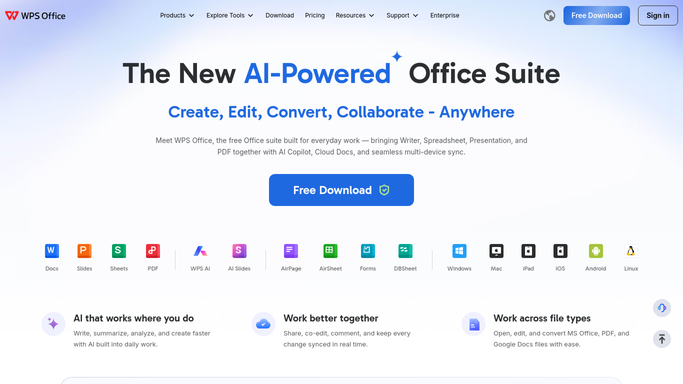
WebRun opens WPS Office to list documents edited since yesterday. - Open WPS Office and go to your cloud documents and shared folders
- Collect every file created, edited, or shared since the last run
- Capture the file name, the folder, who last modified it, and the time
- Flag documents that moved out of a folder or gained a new share link
Done when Every document touched since yesterday is listed with its editor and time.
-
2
Slack - post the morning digest
slack.com How to Automate Slack

WebRun opens Slack to post the morning digest. - Post the digest to your team channel in Slack, grouped by folder
- Put newly shared files and new share links at the top
- Name the person who made each change and link straight to the document
- Keep it to one message rather than one message per file
Done when The Slack channel has today's document digest in a single post.
-
3
Microsoft Teams - mirror it for the wider team
microsoft.com How to Automate Microsoft Teams

WebRun opens Microsoft Teams to mirror it for the wider team. - Post the same digest into your Microsoft Teams channel
- Trim it to the folders that team actually owns
- Leave the file links intact so people can open a document directly
Done when Microsoft Teams carries the same digest, scoped to that team's folders.
How is each run configured?
Secure by default
Connect once, stays signed in
WebRun signs in once and keeps each session in a persistent environment, so every run picks up right where it left off.
Every action is checked against this policy before it runs.
Questions, answered
Does it open or change my documents?
No. WebRun reads the file list and its modified dates in WPS Office. It never edits a document, never moves a file, and never deletes anything.
Will it share files with people who should not see them?
No. It only posts to your own Slack and Microsoft Teams channels, and it posts links rather than file contents, so existing WPS permissions still decide who can open what.
What if nothing changed overnight?
It posts a one line note saying no documents changed, so you know the run happened and nothing was missed rather than wondering whether it ran at all.
Related templates
Put this on autopilot.
Turn it on in minutes - or have our team set it up for you.