Get a daily blended ad spend digest from Windsor.ai
Every morning, WebRun opens Windsor.ai, reads yesterday's blended ad spend and performance pulled together across every connected ad platform, messages a short digest to the team on WhatsApp summarizing total spend and the top performer, and books a deeper review slot on Google Calendar if total spend swung sharply from the day before, so a cross platform budget shift never goes unnoticed.
- No credit card
- Under $0.01 per run
- Cancel anytime
What does WebRun do on every run?
The exact actions WebRun takes, in order - in plain language, so you can adjust anything.
-
WebRun signs in and gets to work
Opens
windsor.aiin a real browser with your saved login - no setup, no API keys. -
1
Windsor.ai - read yesterday's blended spend
windsor.ai

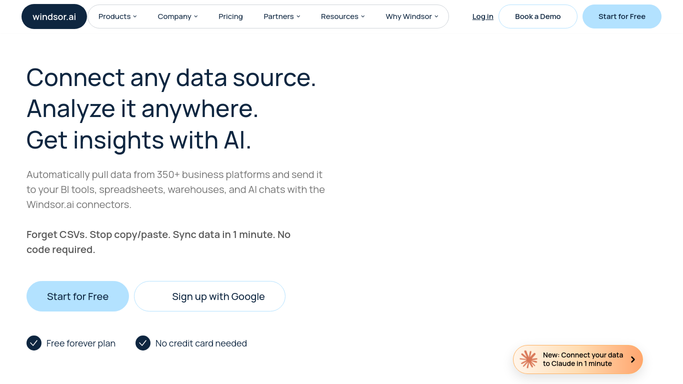
WebRun opens Windsor.ai to read yesterday's blended spend. - Open Windsor.ai and read yesterday's blended spend across every connected platform
- Read performance for the top campaigns
- Compare total spend to the day before
Done when Yesterday's blended spend and performance have been read and compared.
-
2
WhatsApp - message the daily digest
whatsapp.com How to Automate WhatsApp
WebRun opens WhatsApp to message the daily digest. - Message the team a digest with total spend and the top performing campaign
- Note the change in total spend from the day before
- Keep the message readable on a phone screen
Done when The team has today's blended spend digest.
-
3
Google Calendar - book a review for sharp swings
calendar.google.com How to Automate Google Calendar
WebRun opens Google Calendar to book a review for sharp swings. - Create a review slot only if total spend swung sharply from the day before
- Title it with the size of the swing
- Leave it for the team to accept or move
Done when A review slot exists on the calendar for any sharp spend swing.


How do I get a daily blended ad spend digest from Windsor.ai?
WebRun reads yesterday's blended ad spend across every platform connected in Windsor.ai each morning, messages the team a digest on WhatsApp with total spend and the top performer, and books a review on Google Calendar if spend swung sharply. Cross platform budget shifts get noticed the same morning instead of at the next manual pull.
- The team starts every day knowing total spend across every platform
- Sharp spend swings get a booked review instead of going unnoticed
- No single ad platform's budget shift hides inside a fragmented view
Built for Performance marketing teams · Media buyers · Marketing agencies · E-commerce brands
How is each run configured?
Secure by default
Connect once, stays signed in
WebRun signs in once and keeps each session in a persistent environment, so every run picks up right where it left off.
Every action is checked against this policy before it runs.
Questions, answered
Does WebRun change any ad campaigns or budgets?
No. It only reads the blended spend and performance data Windsor.ai already pulls together. Campaigns and budgets are never changed.
What counts as a sharp spend swing worth a calendar review?
A change in total blended spend from the day before that crosses the margin you set, not everyday budget pacing.
Does it cover every connected ad platform or just one?
It reads the blended total across every platform you have connected in Windsor.ai, not a single source.
Related templates
Put this on autopilot.
Turn it on in minutes - or have our team set it up for you.