Turn a When2meet grid into a proposed meeting time
Every few hours while a When2meet grid is still collecting responses, WebRun reads who has filled in their availability, works out which time slot has the most people overlapping, saves a snapshot of the grid to Google Drive, and posts the proposed best time to Slack so the organizer can confirm and lock it in.
- No credit card
- Under $0.01 per run
- Cancel anytime
How do I find the best meeting time from a When2meet grid without checking it manually?
WebRun checks a When2meet grid periodically, works out which time slot the most people overlap on, saves a snapshot to Google Drive, and posts the proposed time to Slack along with who still hasn't responded. The organizer sees a clear recommendation and confirms it themselves, so a scattered availability grid turns into an actual scheduled meeting.
- The best overlapping time is surfaced without manually scanning the grid
- Non-responders are flagged so organizers know who to chase
- A dated snapshot of the grid is kept in Drive for reference
Built for Student and volunteer groups · team assistants · event planners · community organizers
What does WebRun do on every run?
The exact actions WebRun takes, in order - in plain language, so you can adjust anything.
-
WebRun signs in and gets to work
Opens
when2meet.comin a real browser with your saved login - no setup, no API keys. -
1
When2meet - read the availability grid
when2meet.com
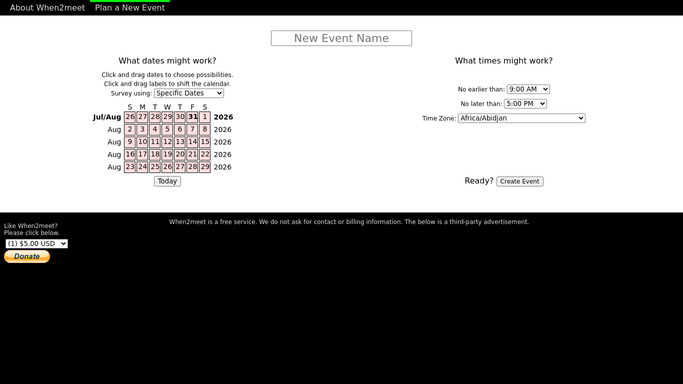
WebRun opens When2meet to read the availability grid. - Open the When2meet link and read who has filled in availability
- Find the time slot where the most people overlap
- Note who is still missing from the grid
Done when The best-overlap slot and the list of non-responders are identified.
-
2
Google Drive - save a grid snapshot
drive.google.com How to Automate Google Drive

WebRun opens Google Drive to save a grid snapshot. - Save a snapshot of the current grid as an image or file
- File it into the meeting's planning folder
- Name it with the meeting title and the date checked
Done when A dated grid snapshot is saved in Drive.
-
3
Slack - propose the best time
slack.com How to Automate Slack

WebRun opens Slack to propose the best time. - Post the organizer the proposed best time and how many people it works for
- List anyone who still hasn't filled in the grid
- Link the saved snapshot in Drive
Done when The organizer has a proposed time and non-responder list in Slack.
How is each run configured?
Secure by default
Connect once, stays signed in
WebRun signs in once and keeps each session in a persistent environment, so every run picks up right where it left off.
Every action is checked against this policy before it runs.
Questions, answered
Does WebRun lock in the final meeting time?
No. It only proposes the slot with the most overlap in Slack. The organizer confirms the time and books the actual meeting themselves.
How does it choose the best slot?
It reads every filled-in cell on the When2meet grid and finds the time where the most people marked themselves available, updating that read each time it checks.
What if not everyone has responded yet?
It still proposes the best current overlap but lists who hasn't filled in the grid, so the organizer can decide whether to wait or go ahead.
Related templates
Put this on autopilot.
Turn it on in minutes - or have our team set it up for you.