Automated Wave Transaction Cleanup
Every Friday, WebRun opens Wave, lists transactions that are still uncategorized, unreviewed, or missing a receipt, groups them by account and amount, writes the running tidy-up list into your Notion bookkeeping page, and opens one Trello card per item so nothing reaches month end unsorted.
How do I keep uncategorized Wave transactions from piling up?
WebRun tidies your Wave bookkeeping every Friday. It finds transactions still uncategorized, unreviewed, or missing a receipt, writes the grouped list with a running total into Notion, and opens one Trello card per item, so month end starts with a clean ledger instead of a backlog.
- Month end starts with a short list, not a backlog
- Every missing receipt has a card with the merchant and amount
- The running total shows the cleanup shrinking week by week
Built for freelancers · small business owners · bookkeepers · consultants
What does WebRun do on every run?
The exact actions WebRun takes, in order - in plain language, so you can adjust anything.
-
WebRun signs in and gets to work
Opens
my.waveapps.comin a real browser with your saved login - no setup, no API keys. -
1
Wave - find unsorted transactions
waveapps.com
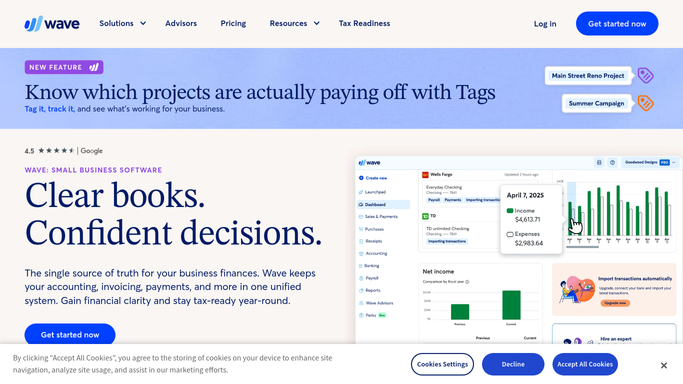
WebRun opens Wave to find unsorted transactions. - Open Wave and review the transactions list for the current month
- Capture every transaction still uncategorized, still unreviewed, or with no receipt attached
- Note the date, account, amount, and description for each, and total them
Done when Every unsorted transaction this month is listed with its account and amount.
-
2
Notion - write the tidy-up list
notion.so

WebRun opens Notion to write the tidy-up list. - Open your bookkeeping page in Notion and add this week's entry
- List the unsorted transactions grouped by account, largest amount first
- Show the running total and how it moved since last week so progress is visible
Done when The Notion bookkeeping page holds this week's tidy-up list and total.
-
3
Trello - open a card per item
trello.com

WebRun opens Trello to open a card per item. - Open a Trello card for each transaction that needs a category or a receipt
- Put the date, amount, and merchant in the card title so it can be actioned without opening Wave
- Skip any transaction that already has an open card, and archive cards for items now sorted
Done when Every unsorted transaction has exactly one open Trello card.
How is each run configured?
Secure by default
Connect once, stays signed in
WebRun signs in once and keeps each session in a persistent environment, so every run picks up right where it left off.
Every action is checked against this policy before it runs.
Questions, answered
Will it categorize transactions in Wave for me?
No. WebRun reads Wave and lists what still needs a decision. Choosing the account, attaching the receipt, and marking a transaction reviewed stay with you or your bookkeeper, so the books are never guessed at.
How does it decide a transaction is unsorted?
It flags transactions that carry no category, are still unreviewed, or have no receipt attached. You can narrow it to one of those three if your workflow only cares about receipts.
Does the Trello board fill up over time?
No. WebRun creates one card per transaction, skips items that already have a card, and archives the card once the transaction is sorted in Wave, so the board shrinks as you work through it.
Related templates
Put this on autopilot.
Turn it on in minutes - or have our team set it up for you.