Score your weekly Vimcal meeting load for you
Every Monday, WebRun opens Vimcal, totals meeting hours and counts back to back meeting stretches from the past week, logs a row to Google Sheets so the trend builds over time, and posts the same scorecard to a Notion page for your team or assistant to review.
- No credit card
- Under $0.01 per run
- Cancel anytime
How do I track my weekly Vimcal meeting load over time?
Every Monday, WebRun totals meeting hours and back to back meeting stretches from the past week in Vimcal, logs a row to Google Sheets so a real trend builds over time, and posts the scorecard to a Notion page. Heavy meeting weeks and punishing back to back stretches get tracked instead of only felt.
- A dated meeting load history builds up automatically in Sheets
- Punishing back to back stretches get counted, not just total hours
- The scorecard is ready in Notion without building a report by hand
Built for Executives · venture capital teams · executive assistants · founders with heavy meeting loads
What does WebRun do on every run?
The exact actions WebRun takes, in order - in plain language, so you can adjust anything.
-
WebRun signs in and gets to work
Opens
vimcal.comin a real browser with your saved login - no setup, no API keys. -
1
Vimcal - tally last week's meeting load
vimcal.com
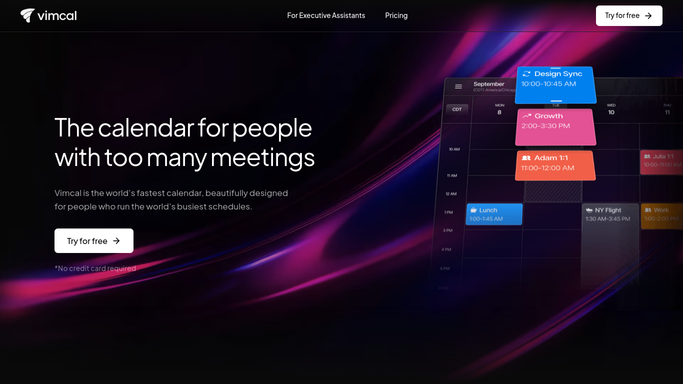
WebRun opens Vimcal to tally last week's meeting load. - Open Vimcal and pull meetings from the past 7 days
- Total meeting hours and count stretches of 3 or more back to back meetings
- Note the busiest single day of the week
Done when The week's meeting hours and back to back stretches are totaled.
-
2
Google Sheets - log the weekly scorecard row
google.com How to Automate Google Sheets

WebRun opens Google Sheets to log the weekly scorecard row. - Open the meeting load tracker
- Add this week's row with total hours, back to back count, and busiest day
- Keep the running weekly history intact
Done when This week's scorecard is logged in Google Sheets.
-
3
Notion - post the scorecard summary
notion.so How to Automate Notion

WebRun opens Notion to post the scorecard summary. - Update the scorecard page with this week's numbers
- Note whether meeting hours rose or fell from the week before
- Link back to the full Google Sheets history
Done when The Notion scorecard page reflects this week's meeting load.
How is each run configured?
Secure by default
Connect once, stays signed in
WebRun signs in once and keeps each session in a persistent environment, so every run picks up right where it left off.
Every action is checked against this policy before it runs.
Questions, answered
Does it decline or move any meetings to reduce the load?
No. WebRun only reads and reports on meeting hours. Declining or rescheduling a meeting inside Vimcal stays entirely your own call.
What counts as a back to back stretch?
Three or more meetings in a row with no real gap between them, so the scorecard highlights the days most likely to run you ragged, not just the busiest by hour count.
Where can I see the full history, not just this week?
Every week's row stays in Google Sheets, so the Notion page always links back to the full running history behind that week's numbers.
Related templates
Put this on autopilot.
Turn it on in minutes - or have our team set it up for you.