Find the videos nobody watches any more
Every Monday, WebRun opens Vidyard, walks your folders and playlists, reads the view count and upload date on every video, flags the ones nobody has watched in months, logs them in Airtable, and writes a Notion list of what to retire, re-share, or re-record.
- No credit card
- Under $0.01 per run
- Cancel anytime
How do I find which videos in my library nobody watches?
WebRun opens Vidyard every Monday, reads the view counts across your whole video library, and flags every video with no views in months. It logs each one in Airtable with its upload date and folder, then writes a Notion cleanup list saying what to retire, re-share, or re-record.
- Dead videos are found weekly instead of never
- Reps browse a library small enough to actually use
- Videos that once performed well get re-shared before they are forgotten
Built for marketing teams · demand generation · sales enablement · video producers
What does WebRun do on every run?
The exact actions WebRun takes, in order - in plain language, so you can adjust anything.
-
WebRun signs in and gets to work
Opens
app.vidyard.comin a real browser with your saved login - no setup, no API keys. -
1
Vidyard - read views across the library
vidyard.com
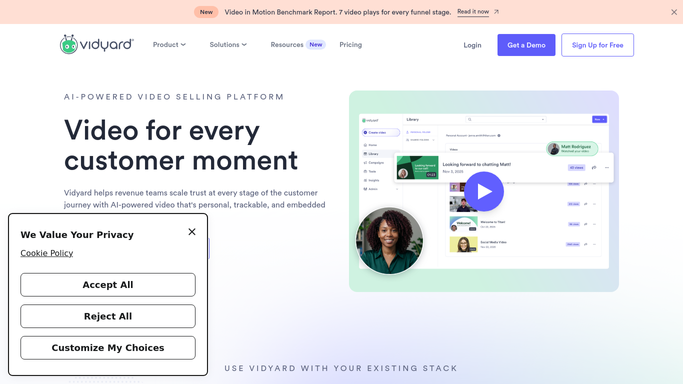
WebRun opens Vidyard to read views across the library. - Open Vidyard and go through each folder and playlist in your library
- Capture the title, upload date, folder, and view count for every video
- Flag any video with no new views in the window you set, such as the last 90 days
- Only read the library. Never delete, unlist, or move a video
Done when Every video in the library has a current view count and an unwatched flag.
-
2
Airtable - log the unwatched videos
airtable.com How to Automate Airtable

WebRun opens Airtable to log the unwatched videos. - Open your video library base in Airtable and update a row per video
- Write the view count, the date of the last view, the upload date, and the folder
- Mark videos that crossed from active into unwatched since the last run
Done when Airtable holds a current view history for every video in the library.
-
3
Notion - write the cleanup list
notion.so How to Automate Notion

WebRun opens Notion to write the cleanup list. - Post this week's cleanup list to your marketing page in Notion
- Group each video under retire, re-share, or re-record based on age and past views
- Put the videos that once performed well and have since gone quiet at the top
Done when Your team has a grouped cleanup list for the week in Notion.
How is each run configured?
Secure by default
Connect once, stays signed in
WebRun signs in once and keeps each session in a persistent environment, so every run picks up right where it left off.
Every action is checked against this policy before it runs.
Questions, answered
Will it delete videos from Vidyard?
No. WebRun only reads the library and writes a list. Deleting, unlisting, or moving a video stays a manual decision, so nothing disappears because a view count dipped.
How long does a video have to go unwatched?
You set the window, for example 90 days with no new views. WebRun applies that threshold to every video each Monday and only flags the ones that cross it.
Does it cover videos shared inside sequences?
Yes. It reads the view count Vidyard records for each video regardless of where the link was shared, so a video embedded in an email sequence still shows its real usage.
Related templates
Put this on autopilot.
Turn it on in minutes - or have our team set it up for you.