Automated VidIQ Back Catalog Audits
Every Monday, WebRun opens VidIQ, works through your older uploads, notes which titles, tags, and descriptions look thin against how the video is performing, saves a ranked refresh list to Google Drive, and drafts you a Gmail summary of the ones worth rewriting first.
How do I find old YouTube videos that need better titles and tags?
Every Monday WebRun opens VidIQ, reviews your published back catalogue, and flags older videos whose titles, tags, and descriptions are holding views back. It saves the ranked audit to Google Drive and drafts a Gmail summary of the top rewrite candidates, so past uploads keep earning views instead of going quiet.
- Old uploads get re-tagged instead of forgotten
- Monday starts with a ranked rewrite list, not a blank search
- Every flagged video says exactly what is missing
Built for YouTube creators · channel managers · video marketing teams · media agencies
What does WebRun do on every run?
The exact actions WebRun takes, in order - in plain language, so you can adjust anything.
-
WebRun signs in and gets to work
Opens
app.vidiq.comin a real browser with your saved login - no setup, no API keys. -
1
VidIQ - audit older uploads
vidiq.com
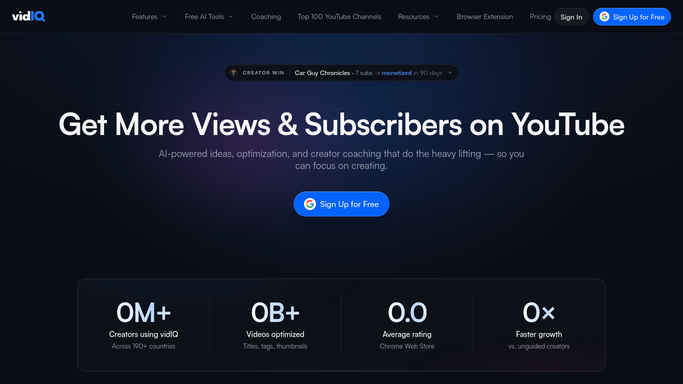
WebRun opens VidIQ to audit older uploads. - Open VidIQ and pull up your channel's published videos, oldest first
- For each older video, read the current title, tags, and description alongside its views
- Flag the ones where the metadata looks thin, off-topic, or out of date
Done when Every older video has been reviewed and flagged or cleared.
-
2
Google Drive - file the refresh list
drive.google.com

WebRun opens Google Drive to file the refresh list. - Save this week's refresh list to your channel folder in Google Drive
- List each flagged video with its current title, its tags, and what is missing
- Rank the list so the videos with the most views to reclaim sit at the top
Done when This week's refresh list is filed in Google Drive and ranked.
-
3
Gmail - draft the weekly summary
gmail.com

WebRun opens Gmail to draft the weekly summary. - Compose a short Monday summary naming the top rewrite candidates
- Link the full refresh list in Google Drive
- Leave the message as a draft for you to review and send. WebRun does not send it on its own
Done when A summary email is sitting in your Gmail drafts, ready to review.
How is each run configured?
Secure by default
Connect once, stays signed in
WebRun signs in once and keeps each session in a persistent environment, so every run picks up right where it left off.
Every action is checked against this policy before it runs.
Questions, answered
Does it change my video titles or tags?
No. WebRun only reads and reports. Every rewrite suggestion lands in a Google Drive list for you to apply yourself, so nothing on your channel changes without you.
Will it send the summary email by itself?
No. The Monday summary is left as a Gmail draft for you to read and send. WebRun composes it and stops there.
How far back does the audit go?
As far back as you tell it. Point it at the whole catalogue or only videos older than a set number of months, and it works that range every Monday.
Related templates
Put this on autopilot.
Turn it on in minutes - or have our team set it up for you.