Digest your Vevox meeting poll results for you
The moment a Vevox session ends, WebRun pulls the poll results and top voted questions from the Q&A, matches the session to the right meeting on Google Calendar, and posts a results digest to the meeting's Microsoft Teams channel.
- No credit card
- Under $0.01 per run
- Cancel anytime
How do I automatically share Vevox poll results after a meeting?
The moment a Vevox session ends, WebRun pulls the poll and Q&A results, matches the session to the right meeting on Google Calendar, and posts a results digest to that meeting's Microsoft Teams channel. Organizers get shareable results the moment the session ends instead of exporting them from Vevox by hand.
- Poll results reach the team the moment a session ends, not days later
- Results land in the right channel automatically, even on busy meeting days
- Organizers skip manually exporting and re-sharing results
Built for Trainers and facilitators · corporate learning teams · event organizers · internal communications teams
What does WebRun do on every run?
The exact actions WebRun takes, in order - in plain language, so you can adjust anything.
-
WebRun signs in and gets to work
Opens
vevox.comin a real browser with your saved login - no setup, no API keys. -
1
Vevox - pull the session's poll results
vevox.com
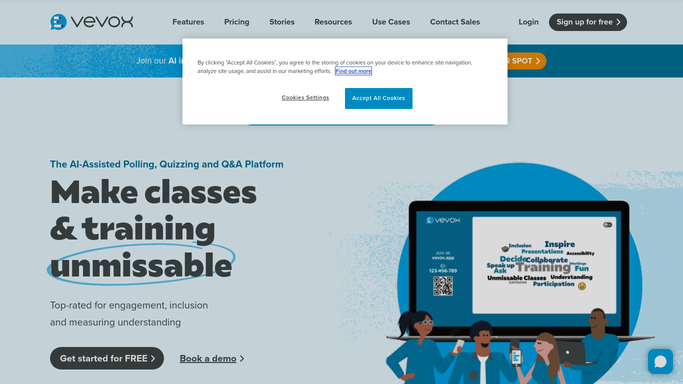
WebRun opens Vevox to pull the session's poll results. - Open Vevox and pull results for the session that just ended
- Capture each poll's results and the participant count
- Capture the top voted questions from the Q&A
Done when The session's poll and Q&A results are fully captured.
-
2
Google Calendar - match the session to its meeting
calendar.google.com How to Automate Google Calendar

WebRun opens Google Calendar to match the session to its meeting. - Find the calendar event that matches the session's time and title
- Note the meeting organizer and attendee list
- Confirm which Microsoft Teams channel the meeting belongs to
Done when The session is matched to its calendar event and channel.
-
3
Microsoft Teams - post the results digest
microsoft.com How to Automate Microsoft Teams

WebRun opens Microsoft Teams to post the results digest. - Post the poll results and top voted questions to the meeting's channel
- Note the participant count for context
- Tag the organizer so they see it
Done when The results digest is posted to the meeting's Microsoft Teams channel.
How is each run configured?
Secure by default
Connect once, stays signed in
WebRun signs in once and keeps each session in a persistent environment, so every run picks up right where it left off.
Every action is checked against this policy before it runs.
Questions, answered
Does it send results to attendees directly?
No. WebRun only posts the digest internally to the meeting's Microsoft Teams channel. Sharing results with attendees outside the channel is a step the organizer takes.
How does it know which meeting a session belongs to?
It matches the Vevox session's time and title against Google Calendar events, so the results land in the right channel even when several sessions run the same day.
Does it include who voted for what?
No. It posts the aggregate poll results and top voted questions, matching what Vevox itself reports, not an individual by individual breakdown.
Related templates
Put this on autopilot.
Turn it on in minutes - or have our team set it up for you.