Alert you when Varonis finds over-exposed data
Every hour, WebRun opens Varonis, checks for sensitive files or folders newly flagged as over-exposed to a broad group of users, logs each one to a Trello remediation board with its exposure level, and alerts your security lead on WhatsApp so oversharing gets caught quickly.
- No credit card
- Under $0.01 per run
- Cancel anytime
What does WebRun do on every run?
The exact actions WebRun takes, in order - in plain language, so you can adjust anything.
-
WebRun signs in and gets to work
Opens
www.varonis.comin a real browser with your saved login - no setup, no API keys. -
1
Varonis - check for over-exposed data
varonis.com

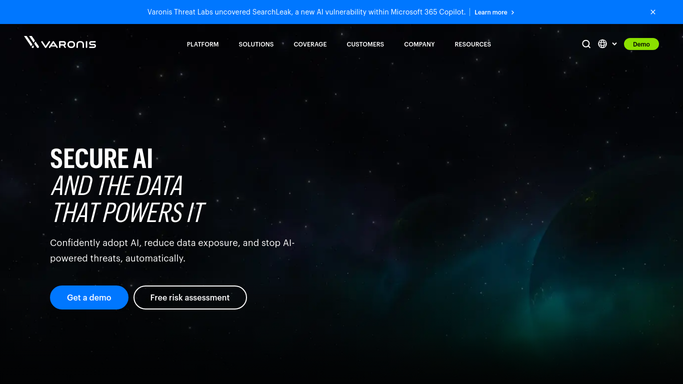
WebRun opens Varonis to check for over-exposed data. - Open Varonis and review sensitive data exposure alerts from the past hour
- Note the file or folder, its sensitivity label, and how broadly it is shared
- Flag anything newly exposed to an entire company group or external users
Done when This hour's exposure alerts have been reviewed and logged.
-
2
Trello - log each exposure to the remediation board
trello.com How to Automate Trello
WebRun opens Trello to log each exposure to the remediation board. - Open the data exposure remediation board in Trello
- Add a card for each newly flagged item with its exposure level
- Move any item Varonis shows as since restricted to resolved
Done when The Trello board matches this hour's exposure findings.
-
3
WhatsApp - alert your security lead
whatsapp.com How to Automate WhatsApp
WebRun opens WhatsApp to alert your security lead. - Message your security lead the moment a broad or external exposure is found
- Name the file or folder and who it is shared with
- Stay quiet when no new exposure is found this hour
Done when Your security lead has been messaged about any new exposure this hour.


How do I get alerted when Varonis finds over-exposed sensitive data?
WebRun checks Varonis every hour for sensitive files newly exposed to a broad group or external users, logs each one to a Trello remediation board with its exposure level, and alerts your security lead on WhatsApp the moment it is found. It never changes a permission itself, leaving the actual fix to your security team.
- Broad or external exposure gets an alert within the hour it is found
- Every exposure has a tracked card on the remediation board
- Routine team level sharing produces no noise
Built for security teams · data protection officers · IT admins · compliance teams
How is each run configured?
Secure by default
Connect once, stays signed in
WebRun signs in once and keeps each session in a persistent environment, so every run picks up right where it left off.
Every action is checked against this policy before it runs.
Questions, answered
Does WebRun change file permissions itself?
No. WebRun only reports what Varonis already flagged. Restricting a permission or removing access is left for your security team to do.
What counts as over-exposed?
A sensitive file or folder Varonis flags as shared with an entire company group, a public link, or external users, not routine team level sharing.
What happens once access is restricted?
It checks Varonis's live exposure status each hour, so an item already fixed is moved to resolved on the Trello board.
Related templates
Put this on autopilot.
Turn it on in minutes - or have our team set it up for you.