Know about a postal disruption before your customers do
Every morning, WebRun opens USPS, reads the service alerts published overnight, works out which ZIP codes, mail classes, and delivery standards are affected, checks your in-flight tracking numbers against them, posts the brief to Microsoft Teams, and messages your shipping lead on Telegram.
- No credit card
- Under $0.01 per run
- Cancel anytime
How do I find out which USPS service disruptions affect my shipments?
Every morning WebRun opens the USPS service alerts, reads the disruptions published overnight, and works out which ZIP codes, mail classes, and delivery standards they affect. It posts the brief to Microsoft Teams and messages your shipping lead on Telegram before customers start asking.
- Disruptions are known before the first customer email arrives
- Alerts are matched to your own in-flight parcels, not read in the abstract
- Customer wording is drafted and waiting, never sent automatically
Built for shipping leads · ecommerce operations · fulfilment teams · customer support managers
What does WebRun do on every run?
The exact actions WebRun takes, in order - in plain language, so you can adjust anything.
-
WebRun signs in and gets to work
Opens
www.usps.comin a real browser with your saved login - no setup, no API keys. -
1
USPS - read today's service alerts
usps.com
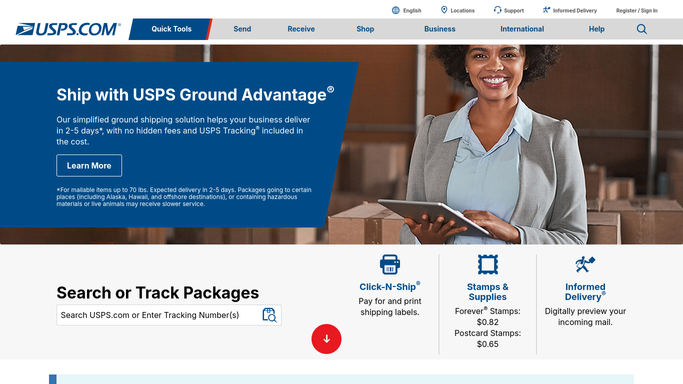
WebRun opens USPS to read today's service alerts. - Open the USPS service alerts and read every notice published since yesterday
- Capture the regions and ZIP codes named, the mail classes affected, and any change to delivery standards
- Check your in-flight tracking numbers and list the ones destined for an affected ZIP code
Done when Today's alerts are captured and matched to your own shipments.
-
2
Microsoft Teams - post the disruption brief
microsoft.com How to Automate Microsoft Teams

WebRun opens Microsoft Teams to post the disruption brief. - Post the disruption brief to your shipping channel
- List the affected regions and mail classes, then the count of your parcels heading into each
- Draft the customer-facing wording as suggested text only, for a human to send
Done when The channel has today's disruption brief with your affected parcel counts.
-
3
Telegram - warn your shipping lead
telegram.org How to Automate Telegram

WebRun opens Telegram to warn your shipping lead. - Message your shipping lead with the headline: which regions are disrupted today
- Include the number of your own parcels affected and the worst-hit mail class
- Send nothing to a customer. Every customer note stays a draft for a person to approve
Done when Your shipping lead knows today's disruptions before customers ask.
How is each run configured?
Secure by default
Connect once, stays signed in
WebRun signs in once and keeps each session in a persistent environment, so every run picks up right where it left off.
Every action is checked against this policy before it runs.
Questions, answered
Will it email my customers about delays?
No. WebRun drafts the customer wording and posts it into your own Microsoft Teams channel as suggested text. A person edits and sends it, so no customer hears from WebRun directly.
Does it change any shipping labels or orders?
No. It reads published alerts and your tracking numbers only. It never buys postage, reroutes a parcel, changes a service level, or files a claim.
What if an alert does not affect my shipments?
It is reported in the Teams brief for the record but kept out of the Telegram message, so your shipping lead only gets pinged about regions where you actually have parcels moving.
Related templates
Put this on autopilot.
Turn it on in minutes - or have our team set it up for you.