Alert your team the moment a case status changes
A few times a day, WebRun signs into the USCIS account portal, checks each tracked case for a status change, posts a summary to your immigration team's Slack channel, and sends a Telegram ping to the case owner so a status change never sits unnoticed.
- No credit card
- Under $0.01 per run
- Cancel anytime
What does WebRun do on every run?
The exact actions WebRun takes, in order - in plain language, so you can adjust anything.
-
WebRun signs in and gets to work
Opens
myaccount.uscis.govin a real browser with your saved login - no setup, no API keys. -
1
USCIS - check tracked case statuses
uscis.gov

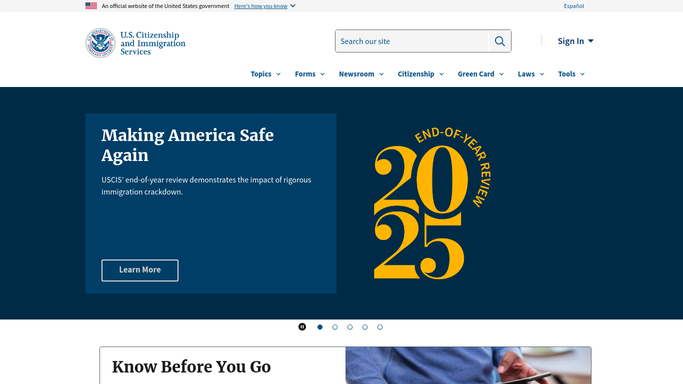
WebRun opens USCIS to check tracked case statuses. - Sign into the USCIS account portal
- Open each tracked case or receipt number
- Compare the current status against the last recorded status
Done when Every tracked case has been checked against its last known status.
-
2
Slack - post the status change to the team
slack.com How to Automate Slack
WebRun opens Slack to post the status change to the team. - Post any status changes to the immigration or case-tracking channel
- Include the receipt number, applicant, old status, and new status
- Skip the post entirely if nothing changed
Done when The team channel shows every status change found this run.
-
3
Telegram - ping the case owner directly
telegram.org How to Automate Telegram
WebRun opens Telegram to ping the case owner directly. - Send a direct Telegram message to the case owner for any status change
- Keep the message short: receipt number and the new status
- Leave any next action to the case owner. Never file or respond on the case
Done when The case owner has been pinged for every status change found.


How do I know right away when a USCIS case status changes?
WebRun signs into your USCIS account portal a few times a day, checks every tracked case for a status change, posts a summary to your team's Slack channel, and sends the case owner a direct Telegram ping, so an immigration case update gets seen and actioned the same day it happens.
- Case status changes are caught within hours, not checked manually
- Every change is logged to a shared Slack channel automatically
- The case owner gets a direct Telegram ping so nothing slips
Built for immigration law firms · HR and global mobility teams · paralegals · relocation specialists
How is each run configured?
Secure by default
Connect once, stays signed in
WebRun signs in once and keeps each session in a persistent environment, so every run picks up right where it left off.
Every action is checked against this policy before it runs.
Questions, answered
Will it take any action on my case?
No. WebRun only reads the status shown in your USCIS account and reports changes. It never submits forms, responds to requests, or edits anything on your case.
Who sees the status update?
The whole team sees a summary in Slack, and the specific case owner also gets a direct Telegram ping so a change never gets lost in a busy channel.
How often does it check?
It checks tracked cases every few hours during business hours, so a status change is usually caught within hours, not days.
Related templates
Put this on autopilot.
Turn it on in minutes - or have our team set it up for you.