Automated UCloud Billing Reconciliation
Every Monday, WebRun opens the UCloud console, reads every billed resource and every resource actually running, flags any mismatch between the two, and posts a reconciliation summary to Slack, mirrored to Telegram so the finance and infrastructure teams both see it.
How do I catch billing mismatches on my UCloud account?
WebRun compares your UCloud billing summary against every resource actually running every Monday, flagging any mismatch, a resource billed but not running, or running but not billed. It posts the reconciliation summary to Slack and mirrors it to Telegram, so finance and infrastructure teams both catch billing drift before it compounds.
- Billing mismatches get caught weekly instead of at invoice time
- Every resource is checked against billing automatically
- Nothing gets shut down or corrected without a human decision
Built for Finance teams managing cloud spend · infrastructure teams · enterprises running UCloud · cloud cost managers
What does WebRun do on every run?
The exact actions WebRun takes, in order - in plain language, so you can adjust anything.
-
WebRun signs in and gets to work
Opens
www.ucloud.cnin a real browser with your saved login - no setup, no API keys. -
1
UCloud - read billed and running resources
ucloud.cn
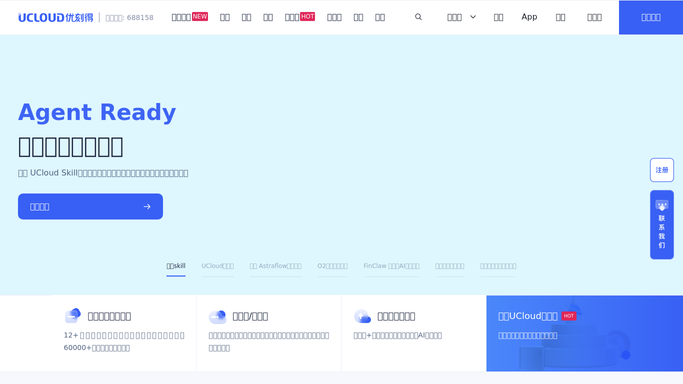
WebRun reads billed and running resources in UCloud. - Open the UCloud console and list every resource currently running
- Read the billing summary for the same period
- Flag any resource billed but not found running, or running but not billed
Done when Every mismatch between billed and running resources is identified.
-
2
Slack - post the reconciliation summary
slack.com

WebRun posts the reconciliation summary in Slack. - Post a reconciliation summary to the finance channel
- List each mismatch with its resource type and cost
- Leave correcting the billing or shutting down a resource to the team
Done when The team has this week's reconciliation summary in Slack.
-
3
Telegram - mirror it for the wider team
telegram.org

WebRun mirrors the reconciliation summary to Telegram. - Mirror the same summary to the infrastructure Telegram group
- Keep the same figures shown in Slack
- Skip the post if no mismatch was found
Done when The infrastructure team has the same summary on Telegram.
How is each run configured?
Secure by default
Connect once, stays signed in
WebRun signs in once and keeps each session in a persistent environment, so every run picks up right where it left off.
Every action is checked against this policy before it runs.
Questions, answered
Does it correct the billing or shut down a resource for me?
No. WebRun only compares records and reports mismatches. Correcting billing or shutting down a resource stays a manual step your team takes.
What counts as a mismatch?
A resource that's being billed but isn't found running, or a resource that's running but doesn't show up in the billing summary. Both get flagged.
Why post to both Slack and Telegram?
Slack reaches the finance channel that owns billing. Telegram mirrors the same summary for the infrastructure team that manages the resources.
Related templates
Put this on autopilot.
Turn it on in minutes - or have our team set it up for you.