Export your daily Ualá transactions automatically
Every night, WebRun opens the Ualá Bis merchant account, lists every payment received that day with amount, payer, and time, saves it as a dated spreadsheet in Google Drive, and sends a Twilio text for anything over your large-transaction threshold.
- No credit card
- Under $0.01 per run
- Cancel anytime
How do I get a daily export of my Ualá merchant transactions?
WebRun checks your Ualá Bis merchant account every night, lists every payment received that day with its amount, payer, and time, and saves it as a dated spreadsheet in Google Drive. Any transaction above your chosen threshold also triggers an immediate Twilio SMS, so a large sale never waits until morning to be noticed.
- Every day's transactions are saved to Drive without manual exporting
- Large payments trigger an SMS the moment they land
- Accountants get a ready-made spreadsheet instead of screenshots
Built for small merchants · Argentine small businesses · bookkeepers
What does WebRun do on every run?
The exact actions WebRun takes, in order - in plain language, so you can adjust anything.
-
WebRun signs in and gets to work
Opens
www.uala.com.arin a real browser with your saved login - no setup, no API keys. -
1
Ualá - pull today's merchant transactions
uala.com.ar
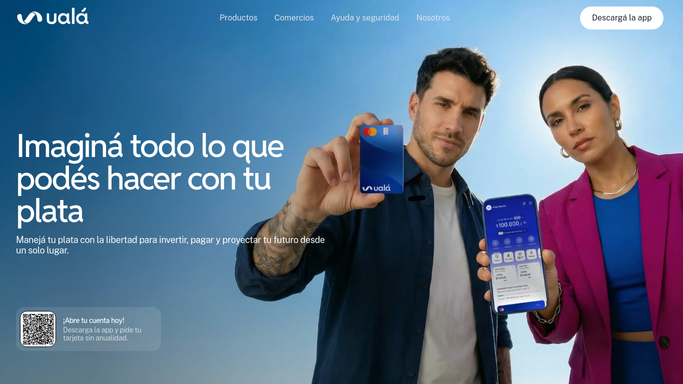
WebRun opens Ualá to pull today's merchant transactions. - Open the Ualá Bis merchant account and list today's payments received
- Record amount, payer, and time for each transaction
- Flag any transaction above your large-transaction threshold
Done when Every transaction from today is listed with amount, payer, and time.
-
2
Google Drive - save the daily transaction export
drive.google.com How to Automate Google Drive

WebRun saves the daily transaction export to Google Drive. - Save the day's transaction list as a spreadsheet in the shared Finance folder
- Name the file with today's date
Done when Today's transaction export is saved in Google Drive.
-
3
Twilio - text an alert for large transactions
twilio.com How to Automate Twilio

WebRun texts an alert through Twilio for large transactions. - Send an SMS only for transactions over your large-transaction threshold
- Leave routine transactions in the saved export only
Done when Only large transactions trigger an SMS that night.
How is each run configured?
Secure by default
Connect once, stays signed in
WebRun signs in once and keeps each session in a persistent environment, so every run picks up right where it left off.
Every action is checked against this policy before it runs.
Questions, answered
What counts as a large transaction?
Whatever threshold you set. Anything above it gets an immediate SMS through Twilio, and everything else waits in the nightly export.
Can WebRun transfer money out of my Ualá account?
No. WebRun only reads and reports on transactions that already happened. It never initiates a transfer, payment, or withdrawal from your Ualá account on its own.
Can I hand the export to my accountant?
Yes. Each night's spreadsheet lands in the shared Google Drive folder, so anyone with access, including your accountant, can open it without asking you for a screenshot.
Related templates
Put this on autopilot.
Turn it on in minutes - or have our team set it up for you.