Catch a Typesense index falling out of sync with its source
Every night, WebRun opens Typesense, compares each collection's document count against its source-of-truth record count, creates a Trello card when the two disagree by more than a small margin, and messages the on-call engineer on WhatsApp, so a stalled or failed reindex gets caught the same night instead of showing up as missing search results.
- No credit card
- Under $0.01 per run
- Cancel anytime
How do I catch a Typesense index that has fallen out of sync?
WebRun compares every Typesense collection's document count against its source-of-truth record count each night, creating a Trello card and messaging the on-call engineer on WhatsApp whenever the two meaningfully disagree. This catches a stalled or failed reindex the same night it happens, instead of the team finding out later because search results were quietly missing records.
- A stalled reindex gets caught the same night instead of surfacing as missing search results
- The on-call engineer gets both counts up front instead of having to dig
- Search stays trustworthy because it is checked every night
Built for Backend engineering teams · search platform teams · e-commerce engineering teams · data engineering teams
What does WebRun do on every run?
The exact actions WebRun takes, in order - in plain language, so you can adjust anything.
-
WebRun signs in and gets to work
Opens
cloud.typesense.org/loginin a real browser with your saved login - no setup, no API keys. -
1
Typesense - compare index and source counts
typesense.org
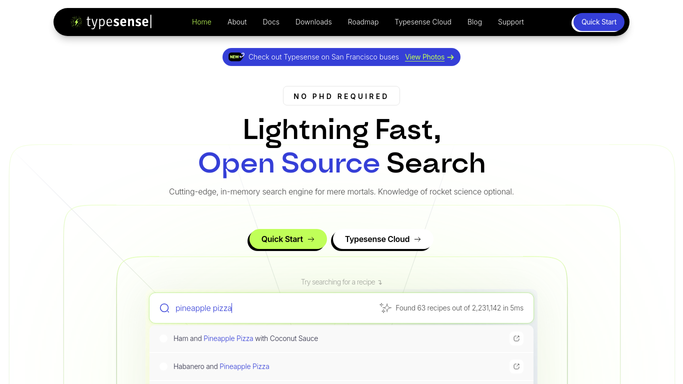
WebRun opens Typesense to compare index and source counts. - Open Typesense and review the document count for each tracked collection
- Compare it against the source-of-truth record count for that data
- Flag any collection where the counts differ by more than a small margin
Done when Every collection's document count is compared against its source with any mismatch flagged.
-
2
Trello - create the mismatch card
trello.com How to Automate Trello

WebRun opens Trello to create the mismatch card. - Open the Search Index Health Trello board
- Create a card for each mismatched collection with both counts
- Place it in the To Investigate column
Done when A Trello card exists for every collection currently out of sync with its source.
-
3
WhatsApp - ping the on-call engineer
whatsapp.com How to Automate WhatsApp

WebRun opens WhatsApp to ping the on-call engineer. - Message the on-call engineer on WhatsApp
- Include the collection name, the index count, and the source count
- Ask them to check whether the reindex job needs to be rerun
Done when The on-call engineer has been messaged about every index mismatch found tonight.
How is each run configured?
Secure by default
Connect once, stays signed in
WebRun signs in once and keeps each session in a persistent environment, so every run picks up right where it left off.
Every action is checked against this policy before it runs.
Questions, answered
Will WebRun trigger a reindex itself?
No. It only detects and reports the mismatch. Triggering a reindex or investigating the cause stays a decision for the on-call engineer.
What counts as a meaningful mismatch?
A difference beyond a small margin that could reasonably come from records changing during the check itself, so a one or two record gap from normal timing does not trigger a false alarm.
Does it check every collection?
Every collection you connect it to and give a source record count for, so the reconciliation covers your whole search index, not just one dataset.
Related templates
Put this on autopilot.
Turn it on in minutes - or have our team set it up for you.