Chase incomplete Twingate access setups for you
Every morning, WebRun opens Twingate, checks newly invited team members for resources they still have not been assigned, schedules a follow up reminder on the IT admin's Google Calendar, and messages IT on WhatsApp so no new hire is left without the access they need.
- No credit card
- Under $0.01 per run
- Cancel anytime
What does WebRun do on every run?
The exact actions WebRun takes, in order - in plain language, so you can adjust anything.
-
WebRun signs in and gets to work
Opens
www.twingate.comin a real browser with your saved login - no setup, no API keys. -
1
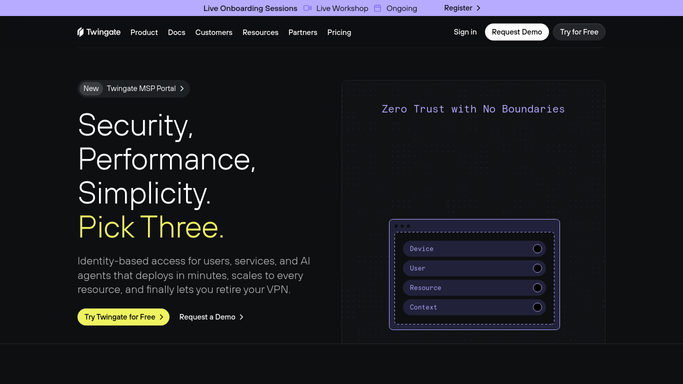
Twingate - check incomplete resource assignments
twingate.com

WebRun opens Twingate to check incomplete resource assignments. - Open Twingate and list team members invited in the last 14 days
- Check which resources each has been assigned
- Flag anyone still missing an expected resource
Done when Every recent invite's resource assignment has been checked.
-
2
Google Calendar - schedule a follow up
calendar.google.com How to Automate Google Calendar
WebRun opens Google Calendar to schedule a follow up. - Open the IT admin's Google Calendar
- Add a follow up reminder for tomorrow for any incomplete setup
- Include the team member's name and what is still missing
Done when Every incomplete setup has a follow up reminder on the calendar.
-
3
WhatsApp - message IT
whatsapp.com How to Automate WhatsApp
WebRun opens WhatsApp to message IT. - Message IT that today's incomplete setups are ready for follow up
- Name how many team members are still waiting on access
- Leave the actual resource assignment for IT to complete
Done when IT has been messaged if any setup is still incomplete.


How do I make sure new hires finish their Twingate access setup?
WebRun checks Twingate every morning for team members invited recently who are still missing an expected resource assignment, schedules a follow up reminder on the IT admin's Google Calendar, and messages IT on WhatsApp. It never assigns a resource itself, so a new hire's access gap gets caught and finished quickly instead of drifting.
- Incomplete access setups get flagged the next morning, not weeks later
- IT works from a scheduled follow up instead of hunting through Twingate
- New hires get full access faster after their invite
Built for IT admins · remote teams · network security teams · startups
How is each run configured?
Secure by default
Connect once, stays signed in
WebRun signs in once and keeps each session in a persistent environment, so every run picks up right where it left off.
Every action is checked against this policy before it runs.
Questions, answered
Does WebRun assign network resources itself?
No. WebRun only reports who is still missing an assignment. Granting access to a resource is left for your IT admin to do in Twingate.
Will IT get messaged every day even with no gaps?
No. The WhatsApp message only goes out when at least one recent invite still has an incomplete setup.
How soon after an invite does WebRun check?
It checks anyone invited within the last 14 days, so a new hire's access gap gets caught while it is still fresh.
Related templates
Put this on autopilot.
Turn it on in minutes - or have our team set it up for you.