Get a weekly scorecard of your team's pair programming
Every Monday, WebRun opens Tuple, reviews call history from the past week, messages the team a WhatsApp scorecard of total hours paired and the most frequent pairs, and adds suggested pairing slots to Google Calendar for anyone who paired the least, so pairing stays a habit instead of trailing off.
- No credit card
- Under $0.01 per run
- Cancel anytime
How do I get a weekly summary of my team's pair programming?
WebRun reviews your team's Tuple call history every Monday, messaging a WhatsApp scorecard of total hours paired and the most frequent pairs from the past week. For anyone who paired below the team average, it also adds a suggested pairing slot to Google Calendar for the coming week, so pairing stays a consistent habit instead of quietly dropping off.
- Pairing activity is visible every week without pulling a report
- Anyone pairing less gets a friendly suggested slot instead of no follow-up at all
- Pair programming stays a consistent habit instead of quietly fading
Built for Engineering managers · remote development teams · pair programming advocates · team leads
What does WebRun do on every run?
The exact actions WebRun takes, in order - in plain language, so you can adjust anything.
-
WebRun signs in and gets to work
Opens
tuple.app/loginin a real browser with your saved login - no setup, no API keys. -
1
Tuple - review pairing history
tuple.app
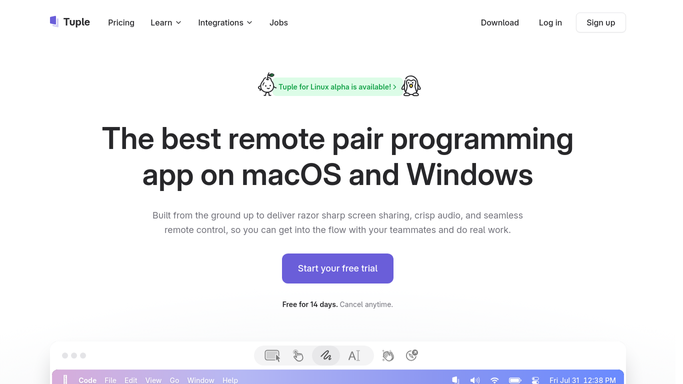
WebRun opens Tuple to review pairing history. - Open Tuple and review call history from the past week
- Total the hours paired per person and identify the most frequent pairs
- Note anyone who paired significantly less than the team average
Done when This week's pairing hours and frequent pairs are recorded, along with anyone below average.
-
2
WhatsApp - message the pairing scorecard
whatsapp.com How to Automate WhatsApp

WebRun opens WhatsApp to message the pairing scorecard. - Message the team on WhatsApp with this week's pairing scorecard
- List total hours paired and the most frequent pairs
- Keep the tone light and celebratory
Done when The team has this week's pairing scorecard on WhatsApp.
-
3
Google Calendar - schedule next week's slots
calendar.google.com How to Automate Google Calendar

WebRun opens Google Calendar to schedule next week's slots. - Open Google Calendar for anyone who paired below the team average
- Add a suggested one hour pairing slot for the coming week
- Leave it open for them to confirm or move
Done when A suggested pairing slot is on the calendar for anyone who paired the least.
How is each run configured?
Secure by default
Connect once, stays signed in
WebRun signs in once and keeps each session in a persistent environment, so every run picks up right where it left off.
Every action is checked against this policy before it runs.
Questions, answered
Is this used to judge individual performance?
It reports team pairing totals and trends. Whether or how you use it for any individual conversation is entirely your call, WebRun does not add any judgment of its own.
Will WebRun book the suggested slot without asking?
No. It only adds a suggested, open slot to the calendar. The person can confirm it, move it, or ignore it entirely.
Where does the pairing data come from?
Directly from your team's own Tuple call history, so the numbers reflect actual pairing sessions rather than an estimate.
Related templates
Put this on autopilot.
Turn it on in minutes - or have our team set it up for you.