Check who still has access to each Tresorit folder
Every Monday, WebRun opens Tresorit, reads the member list and permission level on each shared folder, compares them with last week's snapshot, posts who was added, who left, and who still holds edit rights to Microsoft Teams, and sends a Telegram alert when access sits outside the current team.
- 7-day free trial
- Under $0.01 per run
- Cancel anytime

What does WebRun do on every run?
The exact actions WebRun takes, in order - in plain language, so you can adjust anything.
-
WebRun signs in and gets to work
Opens
web.tresorit.comin a real browser with your saved login - no setup, no API keys. -
1
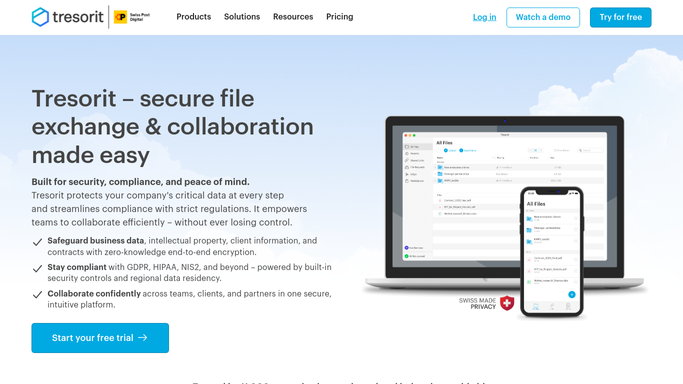
Tresorit - read members and permissions
tresorit.com

WebRun opens Tresorit to read members and permissions. - Open Tresorit and list every tresor and shared folder
- Read the member list and the permission level held by each member
- Compare against last week's snapshot to find who was added and who was removed
- Check the activity log for members who hold access but have not opened the folder recently
Done when Every shared folder has a current member list with permission levels and week on week changes.
-
2
Microsoft Teams - post the weekly access review
microsoft.com How to Automate Microsoft Teams
WebRun opens Microsoft Teams to post the weekly access review. - Post the weekly access review to your operations channel
- List each folder with its members, their permission level, and any change since last week
- Call out members with edit rights who have not opened the folder in months
- Leave the removal itself to the folder owner. WebRun does not revoke access
Done when The operations channel has this week's access review for every shared folder.
-
3
Telegram - alert on outside edit rights
telegram.org How to Automate Telegram
WebRun opens Telegram to alert on outside edit rights. - Send a Telegram alert when a member outside your usual team holds edit rights on a folder
- Name the folder, the member, and the permission level
- Stay quiet in the weeks where nothing changed
Done when You are alerted on Telegram whenever access sits outside the current team.

How do I review who has access to my Tresorit folders?
WebRun opens Tresorit every Monday, reads the member list and permission level on each shared folder, and compares them with last week. It posts who was added, who left, and who still holds edit rights to Microsoft Teams, and alerts you on Telegram when access sits outside the team.
- Every shared folder gets a member and permission review each week
- Leavers who still hold edit rights are named, not assumed removed
- Access changes are visible week on week instead of only at audit time
Built for IT administrators · compliance teams · law firms · small business owners
How is each run configured?
Secure by default
Connect once, stays signed in
WebRun signs in once and keeps each session in a persistent environment, so every run picks up right where it left off.
Every action is checked against this policy before it runs.
Questions, answered
Will it remove people from my folders?
No. WebRun reads the member lists and reports what it finds. Removing a member or lowering a permission level stays with the folder owner, so access is never revoked by an automation.
How is this different from watching share links?
Share links expire on their own. Standing membership does not: a person added to a folder two years ago keeps edit rights until someone removes them. This run reviews that membership rather than the links.
Does WebRun read the files themselves?
No. It reads folder membership, permission levels, and the activity log. The encrypted contents of your files are never opened, downloaded, or copied anywhere.
Related templates
Put this on autopilot.
Turn it on in minutes - or have our team set it up for you.