Keep Tettra pages verified before they go stale
Every Monday, WebRun opens Tettra, checks pages marked needing verification or not reviewed in 6 months, backs up each flagged page to Google Drive, and messages the owner in Slack to verify it.
- No credit card
- Under $0.01 per run
- Cancel anytime
How do I make sure Tettra pages get verified before they go stale?
WebRun checks Tettra every Monday for pages marked needing verification or unreviewed in 6 months, backs up each flagged page to Google Drive, and messages the owner in Slack to verify it, starting with policy and onboarding pages. Stale internal documentation gets a named owner instead of quietly misleading whoever reads it next.
- Policy and onboarding pages get prioritized for review
- Every flagged page stays backed up outside Tettra
- Verified pages drop off the reminder list automatically
Built for knowledge managers · operations teams · HR and onboarding teams · internal wiki owners
What does WebRun do on every run?
The exact actions WebRun takes, in order - in plain language, so you can adjust anything.
-
WebRun signs in and gets to work
Opens
app.tettra.coin a real browser with your saved login - no setup, no API keys. -
1
Tettra - find pages due for verification
tettra.co
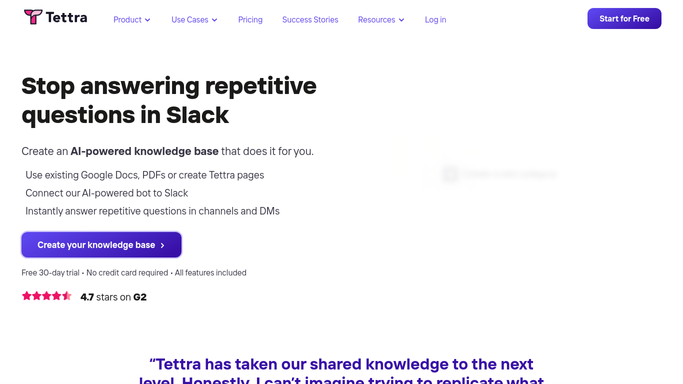
WebRun opens Tettra to find pages due for verification. - Open Tettra and check pages marked needs verification or not reviewed in 6 months
- Note each page's owner and category
- Flag pages tagged as policy or onboarding first
Done when Every page due for verification is listed with its owner and category.
-
2
Google Drive - back up each flagged page
drive.google.com How to Automate Google Drive

WebRun opens Google Drive to back up each flagged page. - Export each flagged page to a file
- Save it into a dated review folder in Google Drive
- Keep the prior export so changes are visible
Done when Every flagged page has a backup copy in Google Drive.
-
3
Slack - remind the page owner
slack.com How to Automate Slack

WebRun opens Slack to remind the page owner. - Message the page owner that their page needs verification
- Include the page title and how long since it was last verified
- Skip owners already reminded this week
Done when Every flagged page's owner has been reminded in Slack.
How is each run configured?
Secure by default
Connect once, stays signed in
WebRun signs in once and keeps each session in a persistent environment, so every run picks up right where it left off.
Every action is checked against this policy before it runs.
Questions, answered
Will it verify or edit a page on its own?
No. WebRun only reads verification status and reminds the owner. Only a person can actually verify or edit a page in Tettra.
Which pages get flagged first?
Policy and onboarding pages are prioritized, since those are the ones most likely to cause real problems if they've gone stale.
What if a page gets verified later in the week?
It reads the live verification status each Monday, so a page someone already verified drops off the list.
Related templates
Put this on autopilot.
Turn it on in minutes - or have our team set it up for you.