Stop Terraform plans from waiting forever
Every morning, WebRun signs into Terraform Cloud, finds runs sitting in a planned or awaiting-confirmation state past your cutoff, creates a Trello card per stuck run with the workspace and the resource changes, and WhatsApps the engineer who queued it so the plan gets approved or discarded.
- No credit card
- Under $0.01 per run
- Cancel anytime
How do I stop Terraform plans from sitting unapproved?
WebRun checks Terraform Cloud every morning for runs sitting unconfirmed past your cutoff. It creates a Trello card per stuck run showing the workspace and the add, change, and destroy counts, then WhatsApps the engineer who queued it, so plans get applied or discarded before they go stale.
- Plans get approved or discarded instead of aging out silently
- Every waiting run has a named owner and a card the same morning
- Destructive plans surface first, before the state they assume changes
Built for platform engineers · DevOps teams · SRE · infrastructure leads
What does WebRun do on every run?
The exact actions WebRun takes, in order - in plain language, so you can adjust anything.
-
WebRun signs in and gets to work
Opens
app.terraform.io/sessionin a real browser with your saved login - no setup, no API keys. -
1
Terraform Cloud - find runs awaiting confirmation
terraform.io
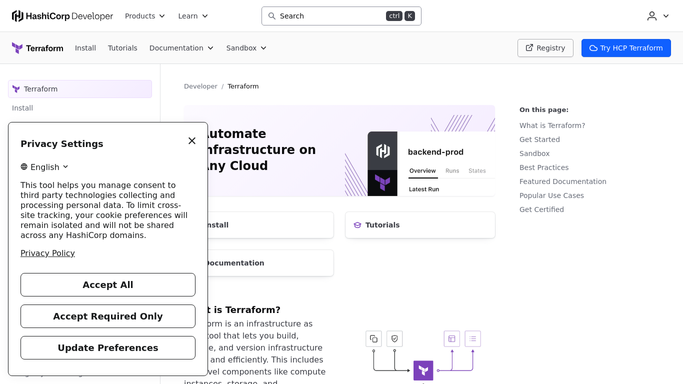
WebRun opens Terraform Cloud to find runs awaiting confirmation. - Sign into Terraform Cloud and open the runs view for each workspace you track
- Find runs still planned or awaiting confirmation for longer than your cutoff
- Capture the workspace, who queued the run, how long it has waited, and the plan's add, change, and destroy counts
- Flag any waiting plan that would destroy resources, since those age worst
- Skip runs that have been discarded or superseded by a newer plan
Done when Every run waiting on a human decision is listed with its age and resource counts.
-
2
Trello - card each stuck run
trello.com How to Automate Trello

WebRun opens Trello to card each stuck run. - Open your infrastructure board in Trello
- Create one card per stuck run titled with the workspace and how long it has waited
- Put the add, change, and destroy counts and the run link in the description
- Assign the member who queued the run and label anything with destroys as urgent
- Move a card to Done when a later run shows the plan was applied or discarded
Done when Each waiting run has an owned Trello card, and resolved ones are closed.
-
3
WhatsApp - chase the engineer who queued it
whatsapp.com How to Automate WhatsApp

WebRun opens WhatsApp to chase the engineer who queued it. - Send the engineer who queued the run a short WhatsApp message with the workspace and the wait time
- Ask a single question: apply, or discard and replan
- Send yourself the full morning list so you can see what is blocked across all workspaces
- Never confirm, apply, or discard a run. WebRun reads and chases, and a human clicks apply
Done when Every waiting run has been chased with its owner.
How is each run configured?
Secure by default
Connect once, stays signed in
WebRun signs in once and keeps each session in a persistent environment, so every run picks up right where it left off.
Every action is checked against this policy before it runs.
Questions, answered
Will it apply or discard a run itself?
Never. WebRun only reads run state and chases the person who queued it. Confirming an apply and discarding a plan both stay with a human, so no infrastructure changes because an automation clicked a button.
How does it know a plan is going stale?
It reads how long each run has sat in a planned or awaiting-confirmation state and compares that against the cutoff you set. Plans that would destroy resources are flagged first, because those are the ones most likely to drift from reality.
Does it chase runs that were already handled?
No. WebRun checks live run state each morning, so anything applied, discarded, or superseded by a newer plan drops off the list and its Trello card is closed.
Related templates
Put this on autopilot.
Turn it on in minutes - or have our team set it up for you.