Get a pre-stream readiness checklist before you go live
Every morning, WebRun opens Switcher Studio, checks today's scheduled livestreams for connected destinations and a ready scene layout, posts a pre-stream checklist to Notion, and logs a go or no-go status to Google Sheets, leaving the actual Go Live button to a human.
- No credit card
- Under $0.01 per run
- Cancel anytime
What does WebRun do on every run?
The exact actions WebRun takes, in order - in plain language, so you can adjust anything.
-
WebRun signs in and gets to work
Opens
www.switcherstudio.comin a real browser with your saved login - no setup, no API keys. -
1
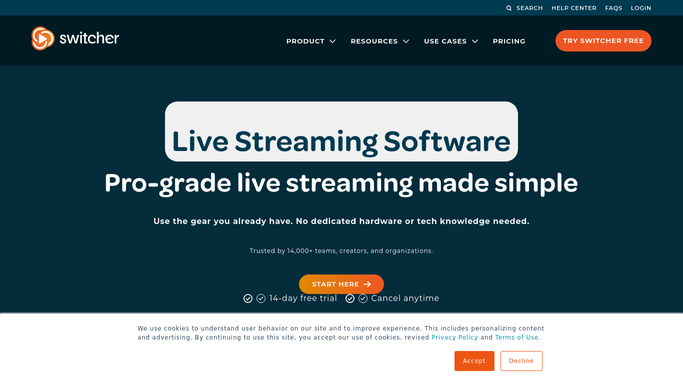
Switcher Studio - check today's scheduled livestreams
switcherstudio.com

WebRun opens Switcher Studio to check today's scheduled livestreams. - Open Switcher Studio and list today's scheduled livestreams
- Check each stream's connected destinations, like Facebook or YouTube
- Confirm the scene layout is set and camera sources are connected
Done when Every stream scheduled for today has its destinations and scene layout checked.
-
2
Notion - post the pre-stream checklist
notion.so How to Automate Notion
WebRun opens Notion to post the pre-stream checklist. - Post a pre-stream checklist for each scheduled stream
- List destinations connected, scene layout status, and start time
- Flag anything missing so it can be fixed before air
Done when Every scheduled stream has a pre-stream checklist in Notion.
-
3
Google Sheets - log the go or no-go status
google.com How to Automate Google Sheets
WebRun opens Google Sheets to log the go or no-go status. - Log a go or no-go status for each stream based on the checklist
- Record the time the check was run
- Leave starting the actual broadcast to the streamer
Done when Every scheduled stream has a logged go or no-go status ahead of air time.


How do I make sure a Switcher Studio livestream is ready before I go live?
WebRun checks Switcher Studio every morning for streams scheduled that day, confirming each has its destinations connected and its scene layout ready. It posts a pre-stream checklist to Notion and logs a go or no-go status to Google Sheets, so nothing is discovered missing after the countdown starts. Starting the actual broadcast always stays a human step.
- Missing destinations or scenes get caught before the countdown starts
- Every scheduled stream has a documented go or no-go status
- The team works from one checklist instead of checking Switcher Studio manually
Built for churches · live event producers · sports broadcasters · corporate streaming teams
How is each run configured?
Secure by default
Connect once, stays signed in
WebRun signs in once and keeps each session in a persistent environment, so every run picks up right where it left off.
Every action is checked against this policy before it runs.
Questions, answered
Does WebRun start the livestream for me?
No. Going live is irreversible the moment it starts, so WebRun only checks readiness and reports go or no-go. Pressing Go Live in Switcher Studio always stays a human step.
What does a no-go status mean?
A scheduled stream is missing a connected destination or its scene layout isn't ready. It's flagged in Notion so it can be fixed before air time.
Does it check every scheduled stream or just the next one?
Every stream scheduled for today gets its own checklist and status, not just the next one coming up.
Related templates
Put this on autopilot.
Turn it on in minutes - or have our team set it up for you.