Alert you the moment a Survicate detractor responds
Every few minutes, WebRun checks Survicate for a new detractor score or a written negative response, logs the respondent, score, and comment to Airtable, and posts an alert to the team's Notion tracker so someone can follow up while the feedback is still fresh.
- No credit card
- Under $0.01 per run
- Cancel anytime
How do I get alerted the moment a Survicate response is negative?
WebRun checks Survicate every few minutes for a new detractor score or negative comment, logs the respondent and feedback to Airtable, and posts an alert to the team's Notion tracker. Unhappy customers get noticed and routed to a real follow up within minutes instead of surfacing in a monthly report.
- Detractors get flagged within minutes instead of a monthly report
- Every negative response is logged, so none quietly disappear
- Follow-up stays a human decision, never an automatic reply
Built for Customer success teams · product teams · SaaS companies · support managers
What does WebRun do on every run?
The exact actions WebRun takes, in order - in plain language, so you can adjust anything.
-
WebRun signs in and gets to work
Opens
survicate.comin a real browser with your saved login - no setup, no API keys. -
1
Survicate - watch for a detractor response
survicate.com
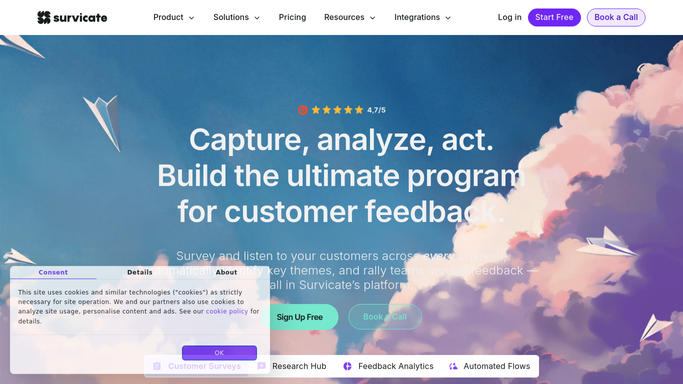
WebRun opens Survicate to watch for a detractor response. - Check Survicate for new NPS or CSAT responses since the last run
- Identify any score below your detractor threshold
- Capture the respondent, score, and any written comment
Done when Every new detractor response is identified with its score and comment.
-
2
Airtable - log the response
airtable.com How to Automate Airtable

WebRun opens Airtable to log the response. - Open the feedback tracker base
- Add a row for each detractor response with score and comment
- Mark it open until someone logs a follow up
Done when Every new detractor response is logged as an open row.
-
3
Notion - post the follow-up alert
notion.so How to Automate Notion

WebRun opens Notion to post the follow-up alert. - Post an alert entry naming the respondent, score, and comment
- Add it to the top of the follow up tracker page
- Leave any outreach to the customer for a teammate to send
Done when A follow-up alert is posted in Notion for every new detractor.
How is each run configured?
Secure by default
Connect once, stays signed in
WebRun signs in once and keeps each session in a persistent environment, so every run picks up right where it left off.
Every action is checked against this policy before it runs.
Questions, answered
Does it reply to the unhappy customer directly?
No. WebRun only logs the response and alerts your team internally in Notion. Reaching out to the customer is a step a teammate takes.
What counts as a detractor?
Any response scoring below the threshold you set for NPS or CSAT, so the alert stays focused on genuinely negative feedback rather than every response that comes in.
How fast does the alert show up?
WebRun checks every 15 minutes, so a detractor response typically gets logged and alerted well within the hour, while the context is still fresh.
Related templates
Put this on autopilot.
Turn it on in minutes - or have our team set it up for you.