Confirm every project has a backup you could restore from
Every morning, WebRun opens Supabase, goes through every project in the organisation, reads the most recent database backup and the earliest restore point available, notes the database size and the plan each project runs on, posts the full picture to Microsoft Teams, and pings Telegram when a project's newest backup is older than your recovery target.
- No credit card
- Under $0.01 per run
- Cancel anytime
How do I check every Supabase project has a recent backup?
WebRun verifies your Supabase backups every morning. It reads the newest database backup and the restore window for every project, notes the size and plan, and posts the picture to Microsoft Teams. When a project falls outside your recovery target it pings Telegram, before an incident finds it.
- The newest restore point per project is known every morning
- Projects outside your recovery target trigger a Telegram ping
- Nobody discovers a missing backup in the middle of an incident
Built for engineering teams · on call engineers · platform and DevOps teams · technical founders
What does WebRun do on every run?
The exact actions WebRun takes, in order - in plain language, so you can adjust anything.
-
WebRun signs in and gets to work
Opens
app.supabase.comin a real browser with your saved login - no setup, no API keys. -
1
Supabase - read backups and restore points
supabase.com
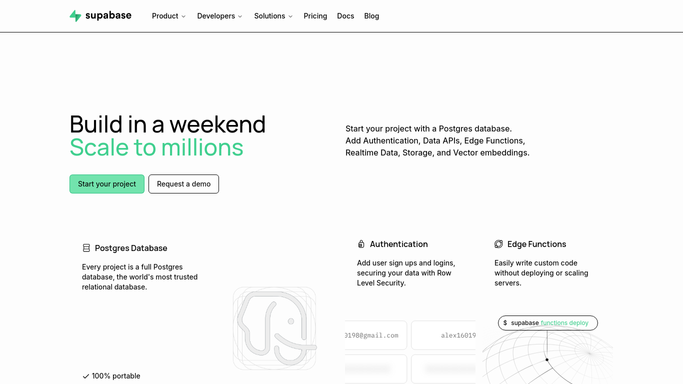
WebRun opens Supabase to read backups and restore points. - Open Supabase and list every project in the organisation
- Read the most recent database backup date and time for each project
- Read the earliest restore point still available and how far back the window reaches
- Note the database size and the plan the project runs on, since both shape the retention window
- Read only. WebRun never triggers a backup, restores a database, or changes a plan
Done when Every project has a newest backup, a restore window and a size recorded.
-
2
Microsoft Teams - post the recoverability picture
microsoft.com How to Automate Microsoft Teams

WebRun opens Microsoft Teams to post the recoverability picture. - Post one line per project: newest backup, hours since it ran, restore window
- Put projects outside your recovery target at the top
- Show the database size beside each, so growth against the plan is visible
- Keep the post short on mornings when everything is inside target
Done when The engineering channel shows every project's newest restore point.
-
3
Telegram - ping when a project is exposed
telegram.org How to Automate Telegram

WebRun opens Telegram to ping when a project is exposed. - Ping the engineer on call only when a project's newest backup is older than your recovery target
- Name the project, the hours since the last backup and the restore window left
- Repeat the ping each morning until a fresh backup appears
Done when Anyone on call knows which project is exposed before an incident.
How is each run configured?
Secure by default
Connect once, stays signed in
WebRun signs in once and keeps each session in a persistent environment, so every run picks up right where it left off.
Every action is checked against this policy before it runs.
Questions, answered
Will it restore a database or trigger a backup?
No. WebRun only reads what the dashboard shows. Restoring a database overwrites live data, so it stays a deliberate human action, and WebRun never starts one or changes a project plan.
Does it read any of my data?
No. It reads backup metadata: the newest backup time, the restore window, the database size and the plan. It does not open tables or read rows in any project.
What counts as a project being exposed?
A newest backup older than the recovery target you set, for example twenty four hours. Those projects go to the top of the Teams post and trigger a Telegram ping every morning until fixed.
Related templates
Put this on autopilot.
Turn it on in minutes - or have our team set it up for you.