Track new Sunbit location onboarding for you
Every morning, WebRun signs in to the Sunbit partner dashboard, checks a newly added location's activation status such as staff training or point of sale setup, logs each outstanding step in Google Sheets, and creates a Notion task so the right person owns getting it live.
- No credit card
- Under $0.01 per run
- Cancel anytime
How do I track new Sunbit location onboarding automatically?
WebRun checks a new Sunbit partner location's activation status every morning, tracking outstanding steps like staff training or point of sale setup in Google Sheets and creating an owned Notion task until it goes live. It never completes the setup or moves money itself, so new locations activate without a missed step holding them up.
- New locations activate without a missed setup step
- Every rollout has a single owned task instead of getting lost
- Activation status stays current without checking the dashboard by hand
Built for multi location retailers · Sunbit partner businesses · auto repair and dental groups · operations managers
What does WebRun do on every run?
The exact actions WebRun takes, in order - in plain language, so you can adjust anything.
-
WebRun signs in and gets to work
Opens
sunbit.comin a real browser with your saved login - no setup, no API keys. -
1
Sunbit - check location activation status
sunbit.com
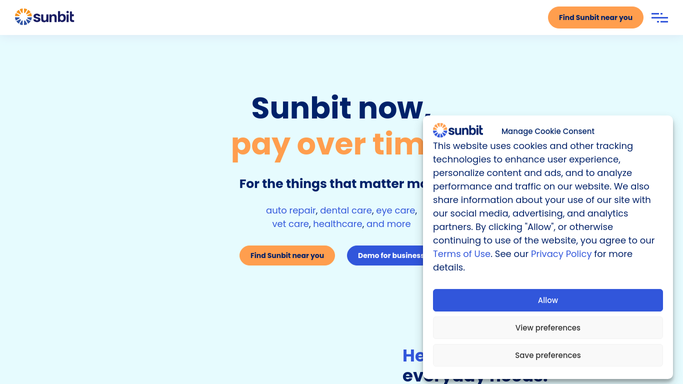
WebRun opens Sunbit to check location activation status. - Sign in to the Sunbit partner dashboard
- Check the activation status of any newly added location
- List every step still outstanding, such as staff training or point of sale setup
Done when Every outstanding activation step for the new location is listed.
-
2
Google Sheets - log the checklist status
google.com How to Automate Google Sheets

WebRun logs the checklist status in Google Sheets. - Add a row for each outstanding step with its current status
- Mark completed steps as done and leave the rest open
- Update the sheet in place rather than duplicating the location
Done when The tracking sheet reflects the location's current activation status.
-
3
Notion - create the setup task
notion.so How to Automate Notion

WebRun creates the setup task in Notion. - Create a setup task listing what the location still needs
- Assign it to whoever owns new location rollouts
- Close the task once every step in Sheets shows complete
Done when The new location has an owned setup task in Notion.
How is each run configured?
Secure by default
Connect once, stays signed in
WebRun signs in once and keeps each session in a persistent environment, so every run picks up right where it left off.
Every action is checked against this policy before it runs.
Questions, answered
Will WebRun complete the setup steps or activate the location itself?
No. WebRun only reads the activation status in Sunbit and reports on it. It never submits paperwork, trains staff, or moves money. Every setup action stays yours to take.
What counts as an outstanding activation step?
Any requirement the Sunbit partner dashboard still shows as incomplete, such as staff training or point of sale setup. Once it shows complete, WebRun checks it off in Sheets.
Does every location get its own Notion task?
Yes. Each newly added location gets its own setup task, so rollouts don't get mixed together when several locations onboard at once.
Related templates
Put this on autopilot.
Turn it on in minutes - or have our team set it up for you.