Make sure your next publishing slot has a post ready
Every Monday, WebRun opens Substack, reads the scheduled posts and drafts for the next two weeks, works out which publishing slots have nothing ready, logs the gaps in Airtable, and sends you a short WhatsApp summary.
- No credit card
- Under $0.01 per run
- Cancel anytime
How do I check whether my next newsletter slot has a post ready?
Every Monday WebRun opens Substack, reads your scheduled posts and drafts, and works out which publishing slots in the next two weeks have nothing ready. It logs those gaps in Airtable with the closest-to-ready draft for each, then sends you a short WhatsApp summary so your publishing rhythm holds.
- Empty publishing slots are spotted two weeks out, not the night before
- Every gap arrives paired with the draft closest to ready
- The schedule table shows whether your backlog is growing or shrinking
Built for newsletter writers · solo creators · content marketers · publishing teams
What does WebRun do on every run?
The exact actions WebRun takes, in order - in plain language, so you can adjust anything.
-
WebRun signs in and gets to work
Opens
substack.comin a real browser with your saved login - no setup, no API keys. -
1
Substack - read drafts and scheduled posts
substack.com
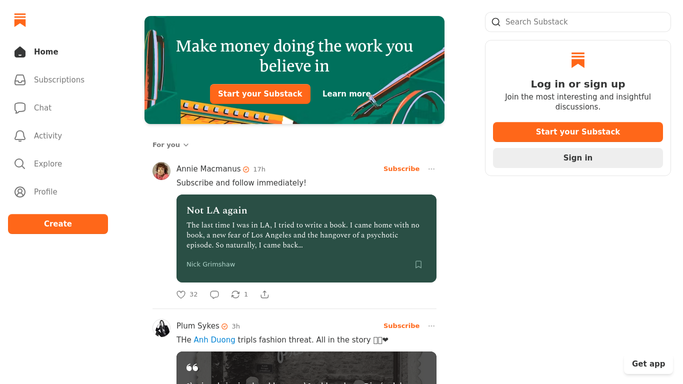
WebRun opens Substack to read drafts and scheduled posts. - Open Substack and list every scheduled post with its publish date and section
- List the drafts that are not scheduled yet, with how complete each one looks
- Compare against your normal publishing days for the next two weeks and mark the slots with nothing attached
Done when Every publishing slot in the next two weeks is marked as filled or empty.
-
2
Airtable - log the empty slots
airtable.com How to Automate Airtable

WebRun opens Airtable to log the empty slots. - Write one row per upcoming slot with its date, section, and status
- Attach the draft closest to ready for each empty slot
- Keep last week's rows so you can see whether the gaps are shrinking
Done when The schedule table shows every slot, filled or empty, with a candidate draft.
-
3
WhatsApp - send you the gaps
whatsapp.com How to Automate WhatsApp

WebRun opens WhatsApp to send you the gaps. - Send yourself a short message listing the empty slots by date
- Name the draft closest to ready for each one
- Keep it internal. WebRun never publishes or schedules a Substack post on its own
Done when You have this week's publishing gaps in WhatsApp.
How is each run configured?
Secure by default
Connect once, stays signed in
WebRun signs in once and keeps each session in a persistent environment, so every run picks up right where it left off.
Every action is checked against this policy before it runs.
Questions, answered
Will it publish or schedule posts for me?
No. WebRun only reads your Substack drafts and scheduled posts. Publishing and scheduling stay with you, so nothing reaches subscribers without your click.
How does it know which slots are mine?
You tell it your publishing days once, for example Tuesday and Friday. It checks the next two weeks of those days against what is actually scheduled in Substack.
What if a post is already scheduled?
That slot is marked filled and left alone. WebRun reads the live schedule each Monday, so anything you queued during the week counts.
Related templates
Put this on autopilot.
Turn it on in minutes - or have our team set it up for you.