Fill tomorrow's empty chair while there is time
Every morning, WebRun opens StyleSeat, reads tomorrow's appointments and availability to find the gaps, matches each gap to clients whose usual service fits the time available, builds the shortlist in Airtable, and posts the offer list to Notion for you to send from your own phone.
- 7-day free trial
- Under $0.01 per run
- Cancel anytime

What does WebRun do on every run?
The exact actions WebRun takes, in order - in plain language, so you can adjust anything.
-
WebRun signs in and gets to work
Opens
styleseat.comin a real browser with your saved login - no setup, no API keys. -
1
StyleSeat - find tomorrow's calendar gaps
styleseat.com

WebRun opens StyleSeat to find tomorrow's calendar gaps. - Sign in to StyleSeat and open tomorrow's calendar
- List the open blocks between booked appointments with their start time and length
- Note any cancellation that opened a gap today, since those are the newest holes
- Read your service list to see which services fit each gap length
- Read the client list for people whose usual service matches those slots
Done when Every gap in tomorrow's day is listed with the services that would fit it.
-
2
Airtable - shortlist clients who fit
airtable.com How to Automate Airtable
WebRun opens Airtable to shortlist clients who fit. - Build the shortlist: for each gap, the clients whose usual service and interval fit
- Put clients who are already due or overdue for that service first
- Exclude anyone who already has an appointment booked this week
- Record which offers you made and which were taken, so the shortlist improves over time
Done when Every gap has a ranked shortlist of clients who could take it.
-
3
Notion - post the offer list
notion.so How to Automate Notion
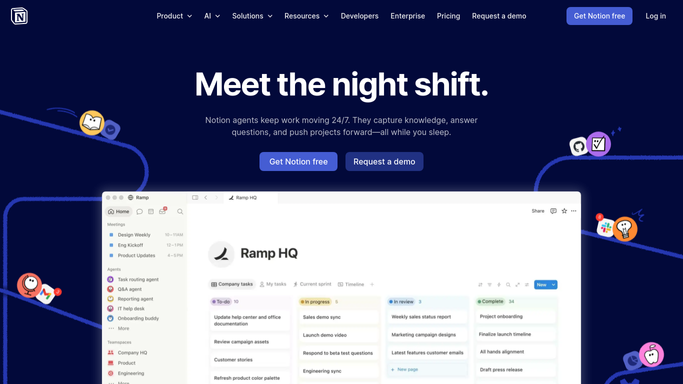
WebRun opens Notion to post the offer list. - Post tomorrow's gaps with the shortlist onto your daily page
- Show the slot time, the length, the service that fits, and two or three names
- Draft a short offer message for each so you only have to send it
- Leave every message unsent. WebRun never texts or messages a client on its own
Done when You have tomorrow's gaps and drafted offers ready in Notion.


How do I fill empty appointment slots in my StyleSeat calendar?
WebRun opens StyleSeat every morning, reads tomorrow's calendar to find the gaps between appointments, and matches each gap to clients whose usual service fits the time. It builds the shortlist in Airtable and posts drafted offers to Notion for you to send, so a cancellation does not become an unpaid hour.
- Tomorrow's gaps are visible with a day still left to fill them
- Each slot arrives with clients who are already due for that service
- Offer messages are drafted for you and sent only in your own voice
Built for stylists · barbers · salon owners · beauty professionals
How is each run configured?
Secure by default
Connect once, stays signed in
WebRun signs in once and keeps each session in a persistent environment, so every run picks up right where it left off.
Every action is checked against this policy before it runs.
Questions, answered
Will it message my clients or book them in?
No. WebRun drafts the offer message and leaves it in Notion for you to send. It never texts a client, books an appointment, or changes your calendar. Every offer goes out in your own voice.
How does it pick who to offer a slot to?
By fit and timing. It matches each gap to clients whose usual service takes about that long and who are already due or overdue, and it excludes anyone already booked in this week.
What about a same day cancellation?
Gaps opened by a cancellation today are marked as the newest holes in tomorrow's list, so the slot most likely to go unpaid is the one you see first when you open the offer list.
Related templates
Put this on autopilot.
Turn it on in minutes - or have our team set it up for you.