Automated Streamlabs Tip Income Ledger
Every night, WebRun opens Streamlabs, reads the tips received since the last run, writes each one into an Airtable ledger with the supporter name, amount, currency, payment method and stream date, and adds a Trello card whenever a payout or a currency conversion needs reconciling.
How do I keep a record of my Streamlabs tips for tax?
WebRun opens Streamlabs every night, reads the tips received that day, and writes each one into an Airtable ledger with the supporter, amount, currency, payment method and stream date. It raises a Trello card when a payout or currency needs reconciling, so nothing is rebuilt at year end.
- Every tip is dated and recorded the night it arrives
- Monthly totals per currency are ready without rebuilding them
- Odd payouts and currencies get flagged instead of quietly averaging out
Built for streamers · content creators · creator accountants · talent managers
What does WebRun do on every run?
The exact actions WebRun takes, in order - in plain language, so you can adjust anything.
-
WebRun signs in and gets to work
Opens
streamlabs.comin a real browser with your saved login - no setup, no API keys. -
1
Streamlabs - read the night's tips
streamlabs.com
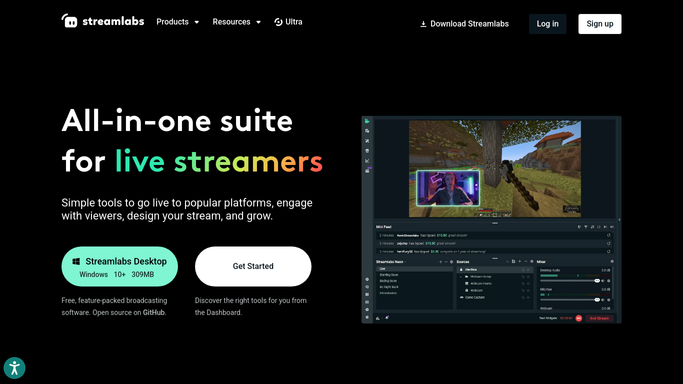
WebRun opens Streamlabs to read the night's tips. - Open Streamlabs and read the tips received since the previous run
- Capture the supporter name, the amount, the currency, and the payment method for each
- Match each tip to the stream date it arrived during
- Skip tips already written to the ledger so nothing is counted twice
Done when Every tip since the last run is captured with its amount, currency, and date.
-
2
Airtable - write the dated ledger
airtable.com

WebRun opens Airtable to write the dated ledger. - Open your tip ledger base and add one row per tip
- Fill the date, supporter, gross amount, currency, and payment method columns
- Keep a running total per currency and per calendar month
- Leave the tax treatment column blank for your accountant to fill
Done when Tonight's tips are rows in the Airtable ledger with running totals updated.
-
3
Trello - raise anything needing reconciling
trello.com

WebRun opens Trello to raise anything needing reconciling. - Add a Trello card whenever a tip arrives in a currency you do not normally receive
- Add a card when a payout total does not line up with the tips recorded for the period
- Put the amounts and dates on the card so the check can be done without reopening Streamlabs
Done when Anything that needs reconciling has a Trello card with its figures attached.
How is each run configured?
Secure by default
Connect once, stays signed in
WebRun signs in once and keeps each session in a persistent environment, so every run picks up right where it left off.
Every action is checked against this policy before it runs.
Questions, answered
Does it touch my payouts or move any money?
No. WebRun only reads the tip records in Streamlabs and writes them into your own Airtable base. It never requests a payout, changes a payment setting, or moves money anywhere.
How is this different from a thank you recap?
A recap is for your supporters. This is for your books: a dated row per tip with the gross amount, currency, and payment method, in the shape an accountant or a tax return needs at year end.
What about tips in different currencies?
Each tip is recorded in the currency it arrived in, with a separate running total per currency. Anything unusual gets a Trello card so the conversion is handled deliberately, not guessed.
Related templates
Put this on autopilot.
Turn it on in minutes - or have our team set it up for you.