Reconnect with placed candidates before they become available for redeployment
Every Monday, WebRun opens Avionte, identifies candidates whose current assignments end within the next two weeks, drafts a friendly redeployment check-in text in Twilio for recruiter review, and posts a redeployment pipeline to Slack so your team can proactively re-place talent before they take calls from competitors.
- No credit card
- Under $0.01 per run
- Cancel anytime
What does WebRun do on every run?
The exact actions WebRun takes, in order - in plain language, so you can adjust anything.
-
WebRun signs in and gets to work
Opens
app.avionte.comin a real browser with your saved login - no setup, no API keys. -
1
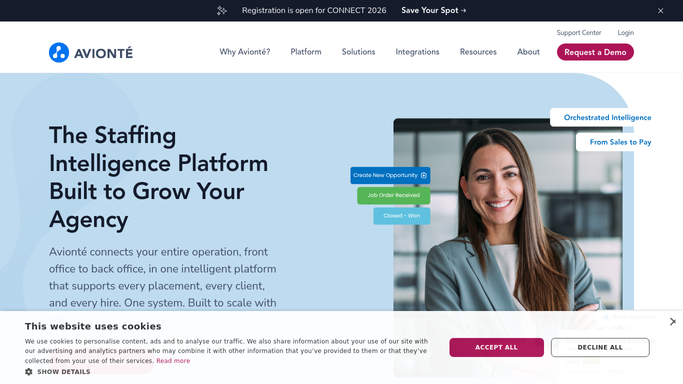
Avionte - find candidates with assignments ending soon
avionte.com How to Automate Avionte

WebRun opens Avionte to find candidates with assignments ending soon. - Open Avionte and filter Assignments to end dates in the next 14 days
- Exclude candidates who already have a follow-on assignment booked
- Capture the candidate name, mobile number, current client, assignment end date, vertical skill set, and recruiter owner
Done when Every candidate whose assignment ends within two weeks and has no follow-on booking is listed.
-
2
Twilio - draft redeployment check-in text for recruiter review
twilio.com How to Automate Twilio
WebRun opens Twilio to draft redeployment check-in text for recruiter review. - Draft a friendly check-in text for each candidate: greet them by first name, acknowledge the upcoming assignment end date, and ask about their availability and interest in new roles
- Queue each text as a draft in Twilio and leave it unsent until the recruiter reviews and approves it
- Flag candidates whose assignment ends within 7 days at the top of the review queue
Done when A drafted redeployment check-in text is queued in Twilio for every at-risk candidate, pending recruiter approval.
-
3
Slack - post redeployment pipeline to the team
slack.com How to Automate Slack
WebRun opens Slack to post redeployment pipeline to the team. - Post a redeployment pipeline to the recruiting Slack channel: list each candidate, their current assignment end date, vertical, and recruiter owner
- Flag candidates without a follow-on booking as available in two weeks so the team can start searching open orders immediately
Done when Recruiters have a Slack redeployment pipeline showing every at-risk candidate and their end date.


How do I automatically reconnect with candidates before their staffing assignments end?
Every Monday WebRun opens Avionte and identifies candidates whose assignments end within the next two weeks with no follow-on booking. It drafts a redeployment check-in text in Twilio for each, pending recruiter approval, and posts a pipeline to Slack so the team can proactively match talent to open orders before candidates consider other agencies.
- At-risk talent is surfaced two weeks before their assignment ends, not the day after
- Recruiters spend minutes approving check-in texts instead of manually auditing Avionte
- Redeployment rates improve as candidates hear from their recruiter before competitors call
Built for staffing agency recruiters · temp agency teams · light-industrial staffing firms · workforce solutions firms
How is each run configured?
Secure by default
Connect once, stays signed in
WebRun signs in once and keeps each session in a persistent environment, so every run picks up right where it left off.
Every action is checked against this policy before it runs.
Questions, answered
Will it text candidates about redeployment without recruiter approval?
No. Every check-in text is queued as a Twilio draft and stays unsent until the recruiter reviews and approves it. No candidate receives a message without a human giving the go-ahead.
What if a candidate already has a follow-on assignment?
WebRun checks Avionte for existing follow-on bookings before adding a candidate to the redeployment list. Anyone with a confirmed next assignment is excluded automatically.
Can I adjust how far ahead it surfaces candidates?
Yes. The 14-day lookahead is the default. During setup you can change it to 21 or 7 days to match your typical redeployment lead time by vertical or branch.
Related templates
Put this on autopilot.
Turn it on in minutes - or have our team set it up for you.