Chase stalled SSA wage report submissions
Every morning during filing season, WebRun checks the SSA Business Services Online account for wage reports still pending or rejected, saves the confirmation receipt for each accepted submission to Google Drive, and texts you if a rejected report sits unresolved for more than 3 days.
- No credit card
- Under $0.01 per run
- Cancel anytime
What does WebRun do on every run?
The exact actions WebRun takes, in order - in plain language, so you can adjust anything.
-
WebRun signs in and gets to work
Opens
www.ssa.gov/myaccountin a real browser with your saved login - no setup, no API keys. -
1
SSA - check wage report status
ssa.gov

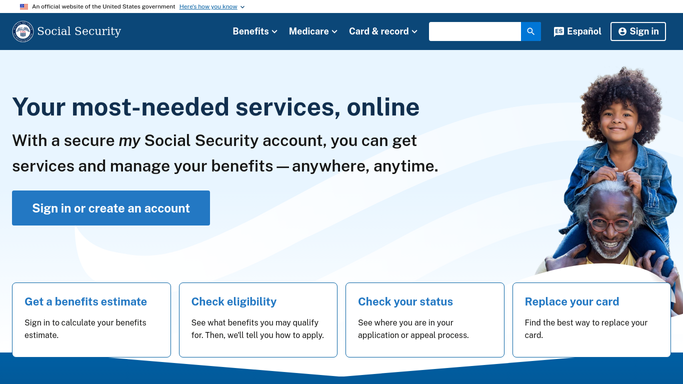
WebRun opens SSA to check wage report status. - Open Business Services Online and find the submitted wage reports
- Check whether each submission shows accepted, pending, or rejected
- Note how many days a rejected report has sat unresolved
Done when Every submitted wage report's status has been checked.
-
2
Google Drive - save the confirmation receipt
drive.google.com How to Automate Google Drive
WebRun opens Google Drive to save the confirmation receipt. - Save the confirmation receipt for each newly accepted submission
- File it in the payroll compliance folder
- Keep receipts organized by filing year
Done when Every accepted submission has a saved receipt.
-
3
Twilio - text you about unresolved rejections
twilio.com How to Automate Twilio
WebRun opens Twilio to text you about unresolved rejections. - Send yourself a text for any rejected report unresolved more than 3 days
- Reference the submission by its internal batch number only
- Never include employee names or Social Security numbers in the text
Done when You have been texted about every rejection unresolved past 3 days.


How do I catch rejected SSA wage report submissions before they stall?
WebRun checks the SSA Business Services Online account every morning for wage reports still pending or rejected, saving the confirmation receipt for each accepted submission to Google Drive. If a rejection sits unresolved for more than 3 days, it texts you a batch reference only, never employee names or numbers, so nothing stalls unnoticed.
- Rejected wage reports get a text alert after 3 days instead of at year end
- Every accepted submission has a saved receipt for compliance
- No employee names or numbers ever appear in an alert
Built for Payroll teams · HR administrators · small business owners · accounting firms
How is each run configured?
Secure by default
Connect once, stays signed in
WebRun signs in once and keeps each session in a persistent environment, so every run picks up right where it left off.
Every action is checked against this policy before it runs.
Questions, answered
Does it include employee Social Security numbers in any alert?
No. Every text references a submission only by its internal batch number, never an employee name or Social Security number.
Will it resubmit a rejected wage report for us?
No. WebRun only reads status and flags what's unresolved. Correcting and resubmitting a report stays your payroll team's action.
Where are the confirmation receipts saved?
In a payroll compliance folder in your own Google Drive, organized by filing year, separate from the SSA portal.
Related templates
Put this on autopilot.
Turn it on in minutes - or have our team set it up for you.