Keep your episode tracker current with every session
Every night, WebRun opens SquadCast, lists the sessions recorded that day with their show, session date, participants, and recording files, drafts the producer a tracker update in Gmail, and posts the recorded session list to Slack so the show team can see where each episode sits.
- No credit card
- Under $0.01 per run
- Cancel anytime
How do I keep a podcast episode tracker up to date with every recording?
WebRun keeps your episode tracker current every night. It opens SquadCast, lists the sessions recorded that day with their show, date, participants, and recording tracks, posts the list to Slack, and drafts the producer a tracker update in Gmail for review before it is sent.
- Every recorded session lands in the tracker the same night
- Missing or still-processing tracks are flagged instead of forgotten
- The producer reviews one drafted update instead of scrolling the session list
Built for podcast producers · video podcast teams · media studios · creator operations
What does WebRun do on every run?
The exact actions WebRun takes, in order - in plain language, so you can adjust anything.
-
WebRun signs in and gets to work
Opens
squadcast.fmin a real browser with your saved login - no setup, no API keys. -
1
SquadCast - list the day's recorded sessions
squadcast.fm
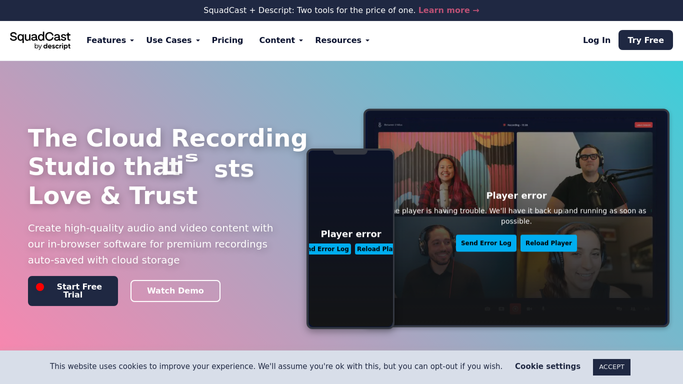
WebRun opens SquadCast to list the day's recorded sessions. - Open SquadCast and go to the sessions list for every show in the account
- Capture each session recorded today with its show, session date, and title
- Note the participants who joined and how many recording tracks each session produced
- Record the length of the session and whether every track finished processing
- Never delete a recording or change a session. WebRun only reads
Done when Every session recorded today is captured with its show, date, participants, and tracks.
-
2
Slack - post the session list
slack.com How to Automate Slack

WebRun opens Slack to post the session list. - Post tonight's recorded session list to your show channel in Slack
- Group sessions by show, with the guest names and session length on each line
- Flag any session where a track is still processing or a participant track is missing
- Note which sessions are new tonight versus carried over as unfinished
Done when The show team has tonight's recorded sessions in Slack, grouped by show.
-
3
Gmail - draft the producer's tracker update
gmail.com How to Automate Gmail

WebRun opens Gmail to draft the producer's tracker update. - Draft an email to the producer in Gmail with tonight's tracker update
- List each session as a tracker row: show, date, guests, track count, and status
- Call out anything that needs a human, such as a missing guest track
- Leave the email as a draft for the producer to review and send
Done when A tracker update email is drafted in Gmail, waiting for review.
How is each run configured?
Secure by default
Connect once, stays signed in
WebRun signs in once and keeps each session in a persistent environment, so every run picks up right where it left off.
Every action is checked against this policy before it runs.
Questions, answered
Will it email anyone without me?
No. The Gmail tracker update is left as a draft for the producer to read and send. The only automatic post is the internal Slack list, which stays inside your show channel.
Does it touch my recordings?
No. WebRun reads the SquadCast sessions list and reports what it finds. It never deletes, renames, moves, or downloads a recording, so the source files stay exactly as your team left them.
What if a session is still processing?
It appears in the list flagged as unfinished rather than being dropped, and it carries over to the next night's run until every track has finished, so nothing quietly falls off the tracker.
Related templates
Put this on autopilot.
Turn it on in minutes - or have our team set it up for you.