Automated SpinupWP Server Setup Checklist
Every morning, WebRun opens SpinupWP, reads a new server's provisioning status, from PHP version to SSL certificate, logs progress to a Google Drive checklist doc, and texts you through Twilio the moment the server is ready for a WordPress site.
 SpinupWP
read server provisioning status
SpinupWP
read server provisioning status
How do I know when a new SpinupWP server is ready for WordPress?
WebRun checks a new SpinupWP server's provisioning status every morning, from PHP version to SSL certificate, and logs progress to a Google Drive checklist doc. The moment the server is fully ready for a WordPress site, it sends a Twilio text. It never provisions the server or installs WordPress itself, so nothing goes live without a verified setup.
- Nothing gets a WordPress site until the server is verified ready
- Provisioning progress is documented in one Drive checklist
- A text confirms readiness faster than checking a dashboard
Built for WordPress agencies · freelance WordPress developers · DevOps teams supporting WordPress · managed hosting providers
What does WebRun do on every run?
The exact actions WebRun takes, in order - in plain language, so you can adjust anything.
-
WebRun signs in and gets to work
Opens
spinupwp.comin a real browser with your saved login - no setup, no API keys. -
1
SpinupWP - read server provisioning status
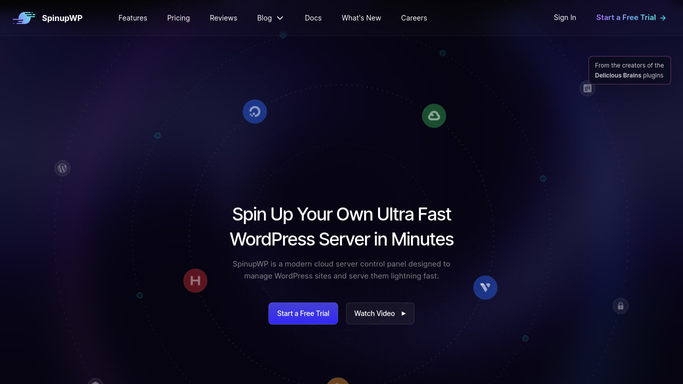
WebRun reads server provisioning status in SpinupWP. - Open the SpinupWP dashboard for the new server
- Read whether provisioning, PHP, and SSL are complete
- Note anything still pending
Done when Every setup item's current status is captured.
-
2
Google Drive - log the checklist progress
drive.google.com

WebRun logs the checklist progress in Google Drive. - Update the server checklist doc with each item's status
- Note what's blocking anything still pending
- Keep a record for every server provisioned this way
Done when The checklist doc reflects exactly what's done.
-
3
Twilio - text you when it's ready
twilio.com

WebRun texts you through Twilio when the server is ready. - Send a text once the server is fully provisioned and ready
- Include the server name in the message
- Stay quiet while setup is still in progress
Done when A text goes out the moment the server is ready for a site.
How is each run configured?
Secure by default
Connect once, stays signed in
WebRun signs in once and keeps each session in a persistent environment, so every run picks up right where it left off.
SpinupWP
Sign in once
Every action is checked against this policy before it runs.
Questions, answered
Does it provision the server or install WordPress for me?
No. WebRun only reads provisioning status. Provisioning the server, installing WordPress, or issuing SSL stays something you do in SpinupWP.
How do I know what's still missing?
The Drive checklist leaves any pending item noted with what's blocking it, so nothing gets missed before a site goes on the server.
Why a text instead of an email?
A text is a faster, harder to miss signal that a server is finally ready, especially if you're mid deploy and away from your inbox.
Related templates
Put this on autopilot.
Turn it on in minutes - or have our team set it up for you.