Count down to your contract end so you can renegotiate
Every morning, WebRun signs in to your Sky account, reads the service package, its contract end date and the current monthly price, writes the days remaining into Google Sheets, and sends you a Telegram countdown as the end date approaches so the renewal conversation happens before the term rolls over.
- No credit card
- Under $0.01 per run
- Cancel anytime
How do I get reminded before my contract term ends?
WebRun tracks your Sky contract every morning. It reads the package, the current monthly price, and the contract end date, records the days remaining in Google Sheets, and sends you a Telegram countdown once the end date is close, so you renegotiate before the term rolls over.
- The renewal talk happens before the term rolls over
- A mid term price change is dated and recorded
- The countdown gets louder as the end date approaches
Built for office managers · small business owners · finance teams · household bill payers
What does WebRun do on every run?
The exact actions WebRun takes, in order - in plain language, so you can adjust anything.
-
WebRun signs in and gets to work
Opens
www.sky.comin a real browser with your saved login - no setup, no API keys. -
1
Sky - read contract end date and price
sky.com
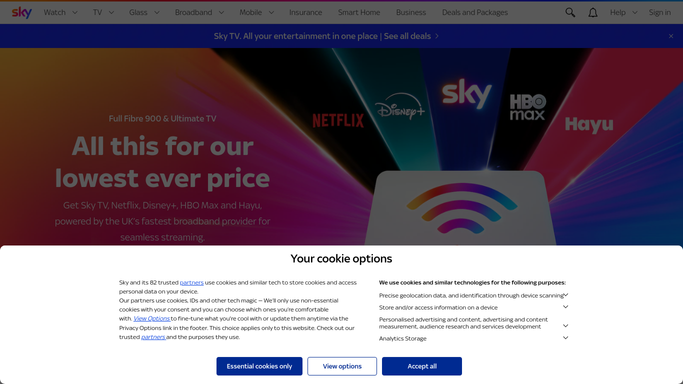
WebRun opens Sky to read the contract end date and price. - Sign in to your Sky account and open the account details for the service
- Read the package you are on, the current monthly price, and the contract end date
- Read the most recent bill so any change in the monthly amount since last month is visible
- Work out how many days remain on the term
Done when The contract end date, the package, and today's monthly price are all captured.
-
2
Google Sheets - log the countdown
google.com How to Automate Google Sheets

WebRun opens Google Sheets to log the countdown. - Open the contracts sheet in Google Sheets
- Write today's row with the package, monthly price, contract end date, and days remaining
- Keep the daily history so a price change part way through the term is easy to prove later
Done when Today's countdown and price are recorded in the sheet.
-
3
Telegram - warn you as the date nears
telegram.org How to Automate Telegram

WebRun opens Telegram to warn you as the date nears. - Send a Telegram message once the days remaining fall inside the window you set, commonly 90 days
- Include the package, the monthly price, and the exact end date so the negotiation starts prepared
- Repeat weekly inside the window, then daily in the final fortnight. WebRun never cancels, renews, or changes the package
Done when You are warned in good time before the contract term ends.
How is each run configured?
Secure by default
Connect once, stays signed in
WebRun signs in once and keeps each session in a persistent environment, so every run picks up right where it left off.
Every action is checked against this policy before it runs.
Questions, answered
Will it cancel or change my package?
No. WebRun reads the account and reports the countdown. Cancelling, renewing, or switching a package is a commercial commitment, so you make that call yourself with the numbers in front of you.
When does it start warning me?
Ninety days before the end date by default. Inside that window it messages weekly, then daily for the last fortnight, and you can widen the window if your approval process needs longer.
Does it notice a price rise?
Yes. The sheet keeps a daily record of the monthly price, so a change part way through the term is visible with the date it appeared rather than discovered at renewal.
Related templates
Put this on autopilot.
Turn it on in minutes - or have our team set it up for you.