Catch expiring SimplyBook.me packages before clients lose credits
Every Monday, WebRun opens SimplyBook.me, checks every client package for remaining credits and its expiry date, logs anyone expiring within two weeks into Google Sheets, and drafts a Gmail reminder for staff to review and send offering to book their remaining sessions or renew.
- No credit card
- Under $0.01 per run
- Cancel anytime
How do I remind clients before their SimplyBook.me package expires?
Every Monday, WebRun checks SimplyBook.me for client packages with unused credits expiring within two weeks, logs them into Google Sheets, and drafts a Gmail reminder for staff to review and send offering a renewal. Clients get a timely nudge to use what they've paid for instead of quietly losing credits, and the business keeps the revenue in play.
- Expiring credits get flagged two weeks out, not after they lapse
- Renewal reminders are ready to send instead of written from scratch
- Fewer clients lose paid-for sessions to a missed expiry date
Built for Fitness studios · salons and spas · wellness clinics · tutoring and coaching businesses
What does WebRun do on every run?
The exact actions WebRun takes, in order - in plain language, so you can adjust anything.
-
WebRun signs in and gets to work
Opens
simplybook.mein a real browser with your saved login - no setup, no API keys. -
1
SimplyBook.me - find packages nearing expiry
simplybook.me
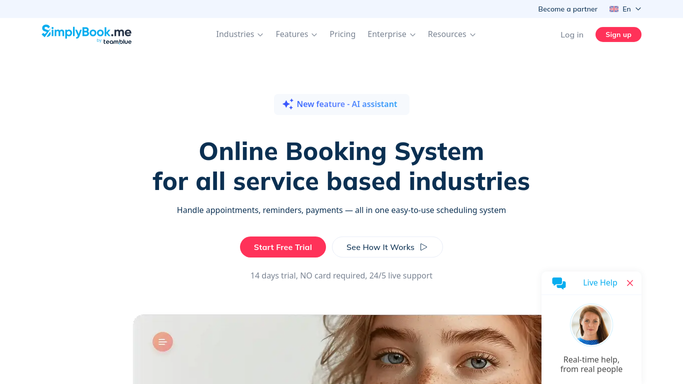
WebRun opens SimplyBook.me to find packages nearing expiry. - Open SimplyBook.me and list active client packages
- Check remaining credits and expiry date for each
- Flag anything expiring within the next two weeks
Done when Every package expiring within two weeks is listed with its credits remaining.
-
2
Google Sheets - log expiring clients
google.com How to Automate Google Sheets

WebRun opens Google Sheets to log expiring clients. - Open the client packages tracker sheet
- Add a row per expiring client with credits left and the expiry date
- Mark whether a reminder has already been sent this cycle
Done when Every expiring package has a row in the sheet.
-
3
Gmail - draft a renewal reminder
gmail.com How to Automate Gmail

WebRun opens Gmail to draft a renewal reminder. - Draft a reminder email for each expiring client
- Mention how many credits are left and the expiry date
- Leave every draft in Gmail for staff to review and send
Done when Every expiring client has a drafted reminder waiting.
How is each run configured?
Secure by default
Connect once, stays signed in
WebRun signs in once and keeps each session in a persistent environment, so every run picks up right where it left off.
Every action is checked against this policy before it runs.
Questions, answered
Will it email clients without staff checking first?
No. WebRun only drafts the reminder in Gmail. Staff review and send each one, nothing goes to a client automatically.
Does it renew the package for the client?
No. It only flags the expiry and drafts a reminder. Selling or processing a renewal is done by staff in SimplyBook.me.
What happens if a client already used all their credits?
They're skipped. Only packages with unused credits and an approaching expiry date get logged and drafted a reminder.
Related templates
Put this on autopilot.
Turn it on in minutes - or have our team set it up for you.