Review who still has access to each client folder
Every Monday, WebRun opens ShareFile, walks each client folder and records who can view, download, or upload, writes a per-folder access table into Notion, and sends you a Telegram list of the people whose access looks stale.
- No credit card
- Under $0.01 per run
- Cancel anytime
How do I review who still has access to my ShareFile client folders?
WebRun opens ShareFile every Monday and reads the permissions on each client folder, recording who can view, download, or upload and when they were last active. It writes the full access list into Notion and sends you a Telegram summary of the accounts that look stale, so old client access is removed on schedule.
- Every client folder has a written access list once a week
- People who left an engagement are named instead of forgotten
- Permission changes since last week are visible at a glance
Built for accounting firms · law firms · IT administrators · professional services
What does WebRun do on every run?
The exact actions WebRun takes, in order - in plain language, so you can adjust anything.
-
WebRun signs in and gets to work
Opens
sharefile.comin a real browser with your saved login - no setup, no API keys. -
1
Citrix ShareFile - read folder permissions
sharefile.com
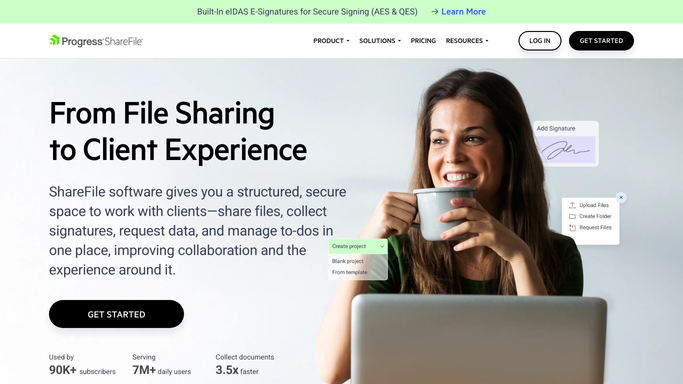
WebRun opens Citrix ShareFile to read folder permissions. - Open ShareFile and list the client folders you asked WebRun to review
- Open the permissions on each folder and record every user and group with access
- Note what each one can do: view, download, upload, or manage
- Read the activity log for the last date each person actually opened the folder
Done when Every reviewed folder has a full list of who has access and what they can do.
-
2
Notion - log the access list
notion.so How to Automate Notion

WebRun opens Notion to log the access list. - Write one row per person per folder into your access review database in Notion
- Record the folder, the person, their permission level, and their last activity date
- Keep last week's rows so you can see what changed since the previous review
Done when This week's access list is saved in Notion with a row for every person on every folder.
-
3
Telegram - flag stale access
telegram.org How to Automate Telegram

WebRun opens Telegram to flag stale access. - Send you the folders whose access list changed since last week
- Call out anyone with no activity for the period you set, and anyone outside your own domain
- Name the folder and the person so you can decide who to remove
Done when You have this week's stale access list in Telegram.
How is each run configured?
Secure by default
Connect once, stays signed in
WebRun signs in once and keeps each session in a persistent environment, so every run picks up right where it left off.
Every action is checked against this policy before it runs.
Questions, answered
Will it remove anyone's access?
No. WebRun only reads permissions and reports them. Removing a user or changing a permission level stays a manual step in ShareFile, so nobody loses access to a live engagement by accident.
How does it decide access is stale?
By the rule you set, usually no folder activity for a chosen number of days, or an email address outside your own domain. WebRun reads the ShareFile activity log for each person and flags anyone past your threshold.
Can it review only some folders?
Yes. Point WebRun at the client folders or the parent folder you care about and it walks only those, which keeps a large ShareFile account from producing an unreadable weekly list.
Related templates
Put this on autopilot.
Turn it on in minutes - or have our team set it up for you.