Know tomorrow's bookings before you close up
Every evening, WebRun opens Setmore, reads every appointment booked for tomorrow, notes the customer, service, staff member, and any gaps in the day, writes the schedule into an Airtable table, and leaves a confirmation email drafted in Gmail for each customer so you can approve and send them in one pass.
- No credit card
- Under $0.01 per run
- Cancel anytime
How do I get a brief of tomorrow's Setmore appointments each evening?
WebRun opens Setmore each evening and reads every appointment booked for the next day, including the customer, service, staff member, and the gaps between slots. It writes the schedule to Airtable and drafts a confirmation email per customer in Gmail, all left unsent for you to approve.
- You close the day knowing exactly what tomorrow looks like
- Confirmations go out in one approved batch instead of one at a time
- Open slots are visible in Airtable while there is still time to fill them
Built for salons and barbers · clinics · tutors and coaches · small service businesses
What does WebRun do on every run?
The exact actions WebRun takes, in order - in plain language, so you can adjust anything.
-
WebRun signs in and gets to work
Opens
go.setmore.comin a real browser with your saved login - no setup, no API keys. -
1
Setmore - read tomorrow's appointments
setmore.com
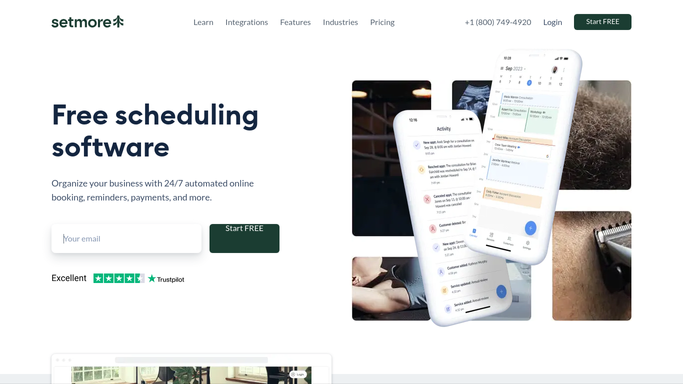
WebRun opens Setmore to read tomorrow's appointments. - Open Setmore and switch the calendar to tomorrow
- List every appointment with its time, customer, service, and staff member
- Note any appointment still missing a phone number or an email address
- Record the open slots between bookings
- Flag any double booking or back to back run with no break
Done when Tomorrow's full schedule, gaps and all, is captured.
-
2
Airtable - log the day's schedule
airtable.com How to Automate Airtable

WebRun opens Airtable to log the day's schedule. - Open your bookings table in Airtable
- Add one row per appointment with time, customer, service, staff, and status
- Mark rows where contact details are missing
- Record the open slots so you can see where the day has room
- Roll the daily totals into the summary view
Done when Tomorrow's schedule is written into Airtable with the gaps marked.
-
3
Gmail - draft each confirmation email
gmail.com How to Automate Gmail

WebRun opens Gmail to draft each confirmation email. - Open Gmail and draft a short confirmation for each customer booked tomorrow
- Include the time, the service, the staff member, and your address
- Save every message as a draft and send nothing
- List the drafts so you can approve and send them together
Done when A confirmation email is drafted for every customer, all waiting for approval.
How is each run configured?
Secure by default
Connect once, stays signed in
WebRun signs in once and keeps each session in a persistent environment, so every run picks up right where it left off.
Every action is checked against this policy before it runs.
Questions, answered
Will it email my customers on its own?
No. Every confirmation is saved as a Gmail draft and left unsent. You read the batch and send it, so nothing reaches a customer without your approval.
Does it change my Setmore calendar?
No. WebRun reads the calendar and writes only to Airtable and the Gmail drafts folder. Bookings, staff assignments, and availability in Setmore are never edited.
What happens if someone books after the run?
The next evening's run reads the live calendar, so a late booking appears in the following brief. You can also set the run to a second time slot closer to closing if bookings land late in the day.
Related templates
Put this on autopilot.
Turn it on in minutes - or have our team set it up for you.