Bring back the regulars who quietly stopped booking
Every Monday, WebRun opens Setmore, looks back through past appointments for customers who used to come regularly and have not booked in months, queues a short rebooking text per customer in Twilio for you to approve, and posts the lapsed list to Slack.
- No credit card
- Under $0.01 per run
- Cancel anytime
How do I win back customers who stopped booking appointments?
WebRun finds your lapsed regulars every Monday. It reads twelve months of Setmore appointments, spots customers who booked regularly and have gone quiet for 90 days, queues a rebooking text per person in Twilio for you to approve, and posts the list to Slack.
- Regulars who drift away are spotted within 90 days
- Every winback text is approved by a person before sending
- Customers with a future booking are never messaged by mistake
Built for salons · clinics · personal trainers · local service businesses
What does WebRun do on every run?
The exact actions WebRun takes, in order - in plain language, so you can adjust anything.
-
WebRun signs in and gets to work
Opens
go.setmore.comin a real browser with your saved login - no setup, no API keys. -
1
Setmore - find customers who stopped booking
setmore.com
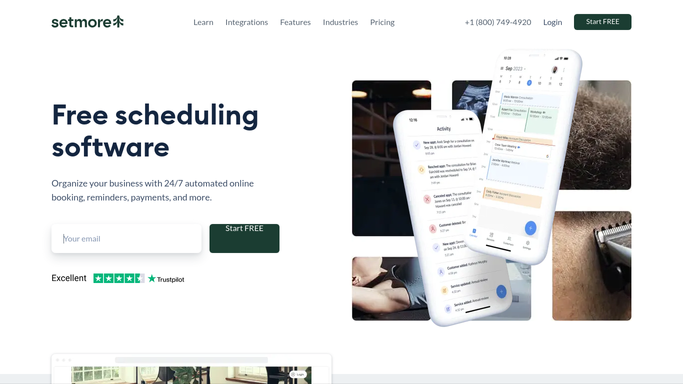
WebRun opens Setmore to find customers who stopped booking. - Open Setmore and read the appointment history for the past twelve months
- Work out each customer's normal booking rhythm from their past visits
- Flag customers who used to book regularly and have no appointment in the last 90 days
- Note the service they usually booked, the staff member they saw, and the date they last came in
- Skip anyone who already has a future appointment on the calendar
Done when Every lapsed regular is listed with their usual service and last visit date.
-
2
Twilio - queue a rebooking text to approve
twilio.com How to Automate Twilio

WebRun opens Twilio to queue a rebooking text to approve. - Write a short, warm rebooking text for each lapsed customer naming the service they used to book
- Include your booking page link so they can pick a slot themselves
- Queue every message in Twilio unsent, waiting on your approval. WebRun never texts a customer on its own
Done when Every lapsed customer has a drafted text waiting for you to approve or edit.
-
3
Slack - post the lapsed list
slack.com How to Automate Slack

WebRun opens Slack to post the lapsed list. - Post the week's lapsed customer list to your team channel
- Show the usual service, the staff member, and how long since the last visit
- Note how many texts are queued and waiting for approval
Done when The team has this week's lapsed list and the queue count in Slack.
How is each run configured?
Secure by default
Connect once, stays signed in
WebRun signs in once and keeps each session in a persistent environment, so every run picks up right where it left off.
Every action is checked against this policy before it runs.
Questions, answered
Will it text customers without my approval?
No. Every rebooking message is queued in Twilio unsent. You read the list, edit any wording you want, and approve before a single text leaves.
How does it decide someone has lapsed?
It reads twelve months of Setmore appointments, learns each customer's normal booking rhythm, and flags regulars with no visit in the last 90 days and nothing booked ahead.
What if someone booked again over the weekend?
It checks the live Setmore calendar each Monday, so anyone with a future appointment is skipped and never gets a winback message.
Related templates
Put this on autopilot.
Turn it on in minutes - or have our team set it up for you.