Get a daily digest of keyword ranking moves
Every morning, WebRun opens SE Ranking, checks tracked keyword positions against yesterday, saves the full ranking export to Google Drive, and sends the SEO lead a Twilio text digest of the biggest movers.
- No credit card
- Under $0.01 per run
- Cancel anytime
How do I get a daily digest of SE Ranking keyword moves?
WebRun checks your tracked SE Ranking keyword positions every morning, comparing today against yesterday for each one. It saves the full export to Google Drive and texts the SEO lead a digest of the biggest gainers and decliners, so ranking movement is visible daily without opening the dashboard.
- Ranking movement is visible every morning without opening the dashboard
- Full daily exports are archived automatically in Google Drive
- The SEO lead gets the top movers by text, not a full report to dig through
Built for SEO specialists · in-house marketing teams · digital agencies · content and growth teams
What does WebRun do on every run?
The exact actions WebRun takes, in order - in plain language, so you can adjust anything.
-
WebRun signs in and gets to work
Opens
online.seranking.comin a real browser with your saved login - no setup, no API keys. -
1
SE Ranking - check keyword position changes
seranking.com
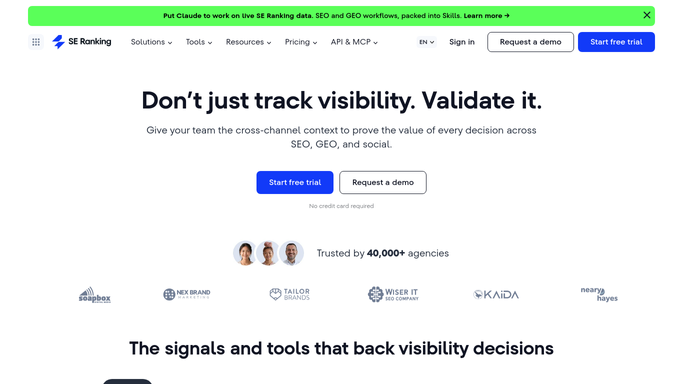
WebRun opens SE Ranking to check keyword position changes. - Open SE Ranking and review tracked keyword positions
- Compare today's position against yesterday's for each keyword
- Note the biggest gainers and decliners
Done when Every tracked keyword has been checked for a position change.
-
2
Google Drive - save the ranking export
drive.google.com How to Automate Google Drive

WebRun opens Google Drive to save the ranking export. - Open the SEO tracking folder in Google Drive
- Save today's full ranking export as a dated file
- Keep it alongside the prior days for comparison
Done when Today's ranking export is saved to Drive.
-
3
Twilio - text the SEO lead the digest
twilio.com How to Automate Twilio

WebRun opens Twilio to text the SEO lead the digest. - Send a text to the SEO lead with today's biggest movers
- Include the keyword, old position, and new position
- Keep the message to the top 3 gainers and decliners
Done when The SEO lead has been texted today's ranking digest.
How is each run configured?
Secure by default
Connect once, stays signed in
WebRun signs in once and keeps each session in a persistent environment, so every run picks up right where it left off.
Every action is checked against this policy before it runs.
Questions, answered
Will it change anything on my website?
No. WebRun only reads ranking data from SE Ranking and reports it. It never edits a page or touches your site on its own.
How does it pick the top movers?
It compares today's position to yesterday's for every tracked keyword and ranks the biggest gains and drops, keeping the text digest to the top three of each.
Where's the full list, not just the top movers?
The complete daily export is saved to Google Drive, so you can review every tracked keyword, not just the ones in the text digest.
Related templates
Put this on autopilot.
Turn it on in minutes - or have our team set it up for you.