Kick off onboarding for every new scrap seller automatically
When ScrapRight records a new seller account, WebRun drafts a personalised welcome email in Gmail with setup instructions, prepares a DocuSign envelope with the seller agreement for the account manager to send, and posts an onboarding checklist to Slack.
- No credit card
- Under $0.01 per run
- Cancel anytime
What does WebRun do on every run?
The exact actions WebRun takes, in order - in plain language, so you can adjust anything.
-
WebRun signs in and gets to work
Opens
portal.scrapright.comin a real browser with your saved login - no setup, no API keys. -
1
ScrapRight - detect new seller account
scrapright.com How to Automate ScrapRight

WebRun opens ScrapRight to detect new seller account. - Open ScrapRight and check for seller accounts created in the last hour
- Capture the new seller's name, contact email, and the material types listed on their account
- Note the account manager assigned to this seller in ScrapRight
Done when The new seller's details and assigned account manager are captured.
-
2
Gmail - draft personalised welcome email
gmail.com How to Automate Gmail
WebRun opens Gmail to draft personalised welcome email. - Draft a personalised welcome email to the new seller, using their name and the material types on their account
- Include step-by-step instructions for their first visit to the yard and what ID to bring
- Leave the draft unsent for the account manager to review before sending
Done when A personalised welcome email draft is ready in Gmail for account manager review.
-
3
DocuSign - prepare seller agreement envelope
docusign.com How to Automate DocuSign
WebRun opens DocuSign to prepare seller agreement envelope. - Create a new DocuSign envelope with the standard seller agreement template
- Pre-fill the seller's name and contact email in the recipient fields
- Leave the envelope in draft status for the account manager to review and send
Done when A DocuSign seller agreement envelope is prepared and ready for account manager review.
-
4
Slack - post onboarding task to account manager
slack.com How to Automate Slack
WebRun opens Slack to post onboarding task to account manager. - Post an onboarding task to the #accounts Slack channel tagging the assigned account manager
- List the three steps: review and send the Gmail welcome draft, send the DocuSign envelope, confirm the seller's first visit appointment
- Include the new seller's name and material types in the Slack post
Done when The account manager is notified in Slack with the three onboarding steps to complete.
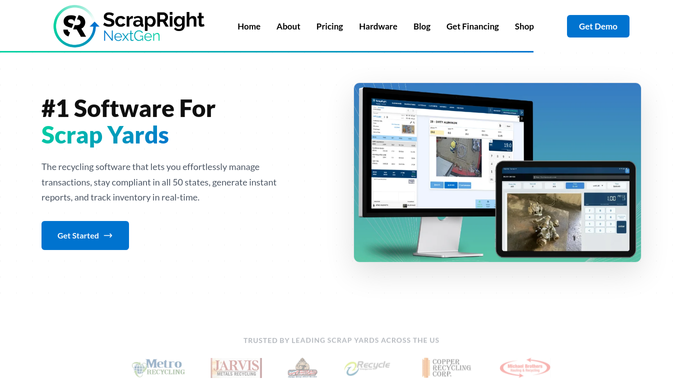



How do I automatically kick off seller onboarding when a new account is created in ScrapRight?
When ScrapRight records a new seller account, WebRun drafts a personalised welcome email in Gmail, prepares a DocuSign seller agreement envelope, and posts a three-step onboarding task to Slack for the assigned account manager. Every outbound step waits for the account manager to review before anything reaches the new seller.
- Every new seller account triggers a complete onboarding workflow within minutes
- Account managers receive a three-step checklist in Slack so nothing is forgotten
- No welcome email or seller agreement reaches a new seller without account manager sign-off
Built for scrap yard account managers · yard owners · metal recycler operations teams · ferrous and non-ferrous scrap yards
How is each run configured?
Secure by default
Connect once, stays signed in
WebRun signs in once and keeps each session in a persistent environment, so every run picks up right where it left off.
Every action is checked against this policy before it runs.
Questions, answered
Will it send the welcome email and DocuSign envelope automatically?
No. Both the Gmail welcome email and the DocuSign envelope are drafted and held for the account manager to review. Nothing is sent to the new seller without human approval.
Which seller agreement template does it use in DocuSign?
It uses the standard seller agreement template you have configured in your DocuSign account. You can maintain multiple templates and specify which one to use per material type.
What if the new seller account is a duplicate?
The Slack onboarding task includes the seller's email and material types so the account manager can quickly spot a duplicate before taking any action.
Related templates
Put this on autopilot.
Turn it on in minutes - or have our team set it up for you.